NordVPN Review 2024: A Fast and Reliable VPN with Outstanding Encryption
Table of Contents
NordVPN is one of the most popular and well-regarded VPN services in 2024 and for a good reason. With its high speeds, advanced security features, and ability to unblock streaming and Torrenting platforms, it is a top choice for anyone looking to protect their online privacy and security.
NordVPN has a no-logs policy verified by independent audits and uses strong encryption to keep your online activities private and secure.
NordVPN’s in-house built NordLynx tunneling protocol sets it apart from other VPNs. This technology promises to deliver some of the fastest speeds in the industry, making it an excellent choice for streaming, gaming, and other bandwidth-intensive activities.
In this review, we will look closely at what NordVPN offers and see how it stacks up against the competition.
NordVPN Background
NordVPN is a VPN service provider based in Panama, a country without data retention regulations and outside of the jurisdiction of the 14-Eyes intelligence sharing agreement. It has offices in Cyprus and Lithuania.
In 2018-2019, NordVPN faced a data breach, but no user data was compromised as the stolen private key was from a server in Finland, and no NordVPN servers were affected.
In 2019, NordVPN became a founding member of the VPN Trust Initiative, an organization in the industry that promotes public awareness of VPN security advantages and establishes quality standards.
What's New in NordVPN: Recent Updates
- NordVPN, a leading virtual private network (VPN) provider, recently released version 7.0 of their app with many new features and updates.
- One of the most notable additions is a dark mode for all users, providing a more comfortable viewing experience in low-light environments. Additionally, the Dark Web Monitor feature has been moved to the left sidebar for easy access, allowing users to stay informed about potential threats on the dark web.
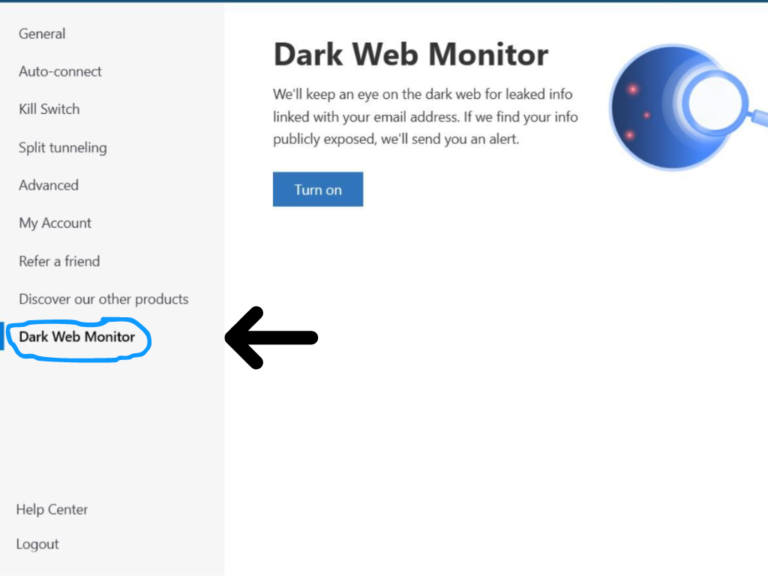
- The app’s auto-connect setup has also been revamped, making it even easier for users to establish a secure connection.
- NordVPN has also added Italian and Korean languages to their app, making it accessible to a broader audience. The app’s design has also been updated for a more modern and user-friendly experience.
- NordVPN has also introduced NordLocker, a secure file encryption tool, and the latest desktop apps facilitate a few new features, like Meshnet and its Dark Web surveillance service.
- An in-app ticket system is introduced, making it easy for users to receive help and support. Additionally, an Edge browser extension and Threat Protection feature are added to enhance the overall security of the VPN.
- In addition to these updates, there was big news earlier this year that NordVPN and bargain rival Surfshark have merged to create a single corporate entity. While the two VPNs will share resources and information, they will remain as individual products, allowing users to choose the best VPN for their needs.
What Are the Features and Capabilities of NordVPN?
-
- Next-generation AES-256 Bit encryption
- 6000+ servers in 111 countries
- Six simultaneous connections
- DNS leak protection
- Automatic Kill Switch
- Strict no-logging policy
- Threat Protection
- Onion over VPN
- Split Tunneling
- Streaming support
- SmartPlay
- Dedicated IP address
Who Should Get NordVPN?
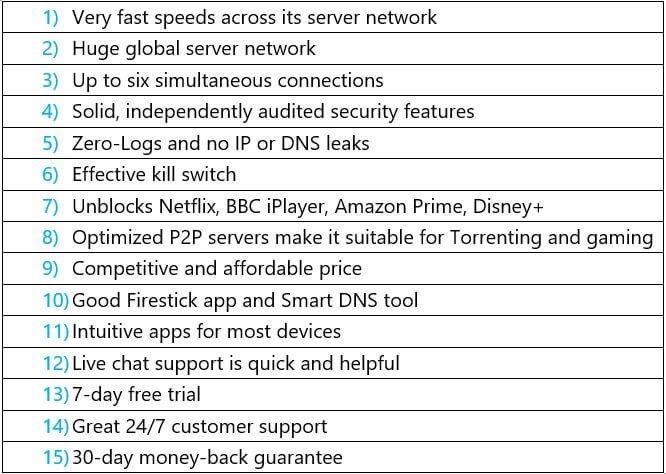
Positives
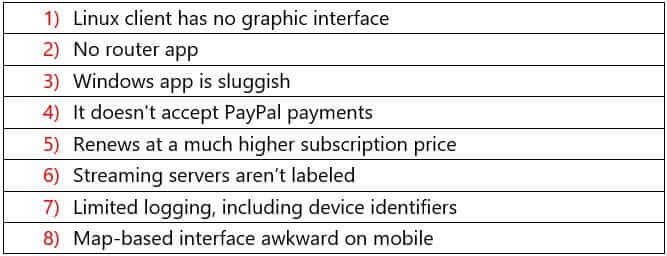
Negatives
How does NordVPN Work?
NordVPN routes your internet connection through a secure server in a different location. This creates a virtual “tunnel” that encrypts your data and hides your IP address, making it difficult for anyone to track your online activity.
This means that you are an ISP, and the government and other third parties cannot see what websites you visit, files you download, or messages you send.
One of the key features of NordVPN is its wide range of servers, which are located in over 111 countries around the world. This allows you to easily unblock geo-restricted content, such as streaming services like Netflix and Hulu.
NordVPN also offers a variety of tunneling protocols, including OpenVPN, IKEv2, and NordLynx, which are designed to provide maximum security and speed.
Another unique aspect of NordVPN is its CyberSec feature, which blocks ads and malware while you browse. It also provides NordVPN with a built-in kill switch, automatically disconnecting your internet connection if the VPN connection is lost.
NordVPN: Is it safe and secure?
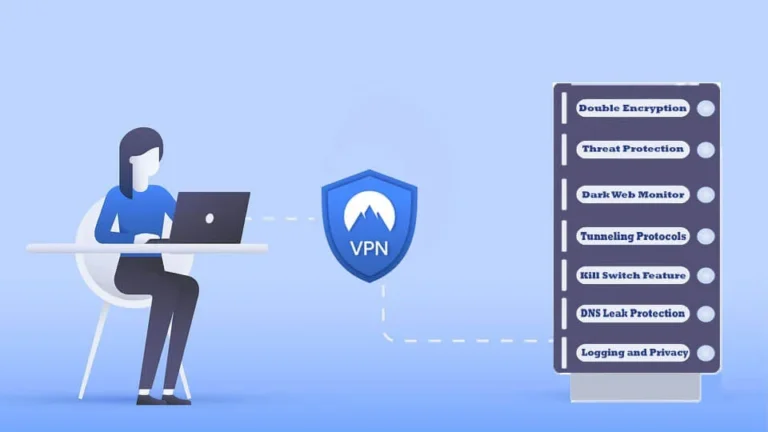
NordVPN is a top choice for internet users looking for a secure VPN provider. Despite a server breach in 2018, NordVPN has taken extensive measures to ensure the safety of its users’ data.
Utilizing the most advanced VPN protocols, running servers exclusively on RAM, and assuming control of their entire network, they have implemented robust security measures.
With NordVPN, you can trust that your online activity and personal information will be kept private and secure at all times.
Double Encryption
NordVPN uses ES-256-GCM encryption, considered one of the most secure encryption methods. Your data is protected twice, making it difficult for hackers to access it.
In addition, it uses SHA2-382 authentication and a 2048-bit DH key to ensure that the encryption is as strong as possible.
PFS (Perfect Forward Secrecy) means a new key is generated for every login session, ensuring that your user activity and identity are refreshed each time you log in.
Threat Protection

NordVPN has a feature called CyberSec, designed to protect users from malicious websites and online threats. This feature blocks ads, pop-ups, and other unwanted content and prevents users from accessing sites known to be evil.
Dark Web Monitor
NordVPN monitors the dark web to identify and block potential user threats. This provides an additional layer of security for users who may be at a higher risk of being targeted by cybercriminals.
Tunneling Protocols
NordVPN supports several tunneling protocols, including OpenVPN, IKEv2/IPSec, WireGuard, and NordLynx. These protocols provide users with various options for securing their internet connection.
|
Protocol |
Best Used for |
|
NordLynx |
Fastest and the best choice overall |
|
IKEv2/IPsec |
Mobile devices, cellular/Wi-Fi data |
|
OpenVPN |
Versatile, all-around security |
KILL SWITCH FEATURE
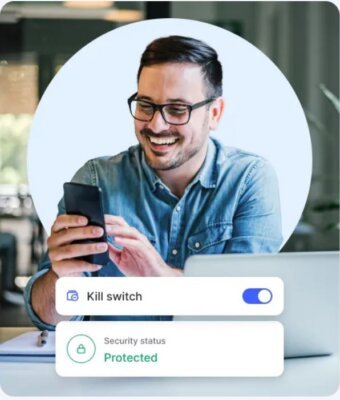
NordVPN has a kill switch feature that disconnects your internet connection if the VPN connection drops. This ensures that your data remains protected even if the VPN connection is lost.
DNS Leak Protection
NordVPN has built-in protection against DNS leaks, which can reveal your actual IP address and location. This feature ensures that your online activity remains private and anonymous.
Split Tunneling
Split Tunneling is a feature of NordVPN that allows you to select which apps and websites use the VPN connection and which use your regular internet connection.
Invisibility on LAN
NordVPN has an Invisibility on LAN feature that makes it difficult for other devices on your local network to detect your VPN-enabled device.
Meshnet
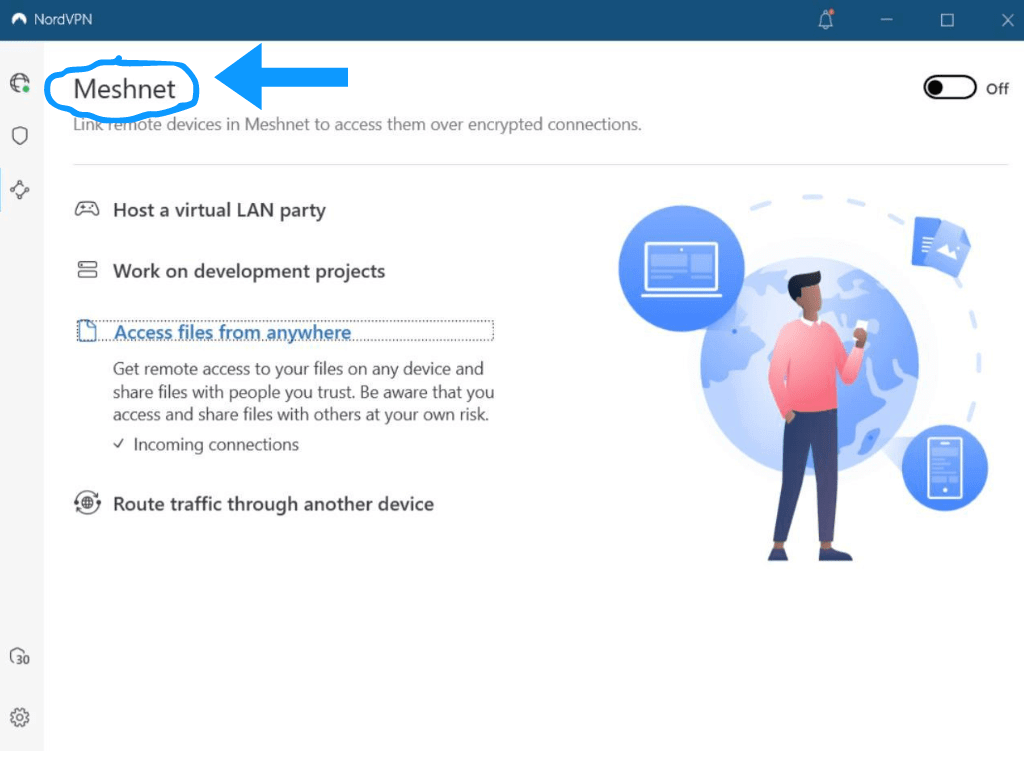
NordVPN has a feature called Mesh Net that can enhance the security and privacy of a user’s internet connection.
By connecting to multiple devices, a user’s internet traffic can be routed through various paths, making it more difficult for outside parties to track or intercept their data.
Additionally, a Meshnet can provide a more robust and reliable connection, as there are multiple paths for data to travel.
NORDLOCKER
NordVPN also offers NordLocker, a secure file-encryption service that allows you to encrypt your files and keep them safe from unauthorized access.
NordLocker is an add-on feature that costs $1.49/month, with the latest promotion. This feature provides a secure cloud storage option for up to 10GB of data, which is encrypted for added security.
Logging and Privacy
NordVPN is based in privacy-friendly Panama. NordVPN does not log any of your browsing activity or connection data.
Due to Panama’s lack of data retention rules, NordVPN is not required to keep any user data. Their apps gather information about crash error reports and application diagnostics.
Security and Privacy Audits
PwC, one of the world’s leading auditing firms, to ensure that they provide the security and privacy they promise, regularly audits NordVPN.
The infrastructure and apps of Nord VPN were exposed to penetration tests in 2019 by the cybersecurity consultancy firm VerSprite.
The company made the report publicly available and patched any discovered bugs before the information was released.
NordVPN also offers bug bounties to testers who can find bugs on their HackerOne page, demonstrating their commitment to transparency and improving service.
ioXt Certification
NordVPN is one of the few VPN service providers that has achieved ioXt Certification for its mobile apps.
This Certification confirms that the company’s apps comply with strict security standards and have been rigorously tested for privacy and security.
NordVPN Warrant Canary
NordVPN warrant canary is a transparency report that NordVPN releases regularly to inform users if the company has been served with a warrant or subpoena.
Speed and Performance: How fast is NordVPN?

NordVPN, a leading virtual private network provider, has enhanced its speeds with the launch of NordLynx, its proprietary VPN protocol.
This new protocol is an extension of WireGuard, known for its efficiency and speed, making it a more unique and efficient alternative to older protocols like OpenVPN and IKEv2.
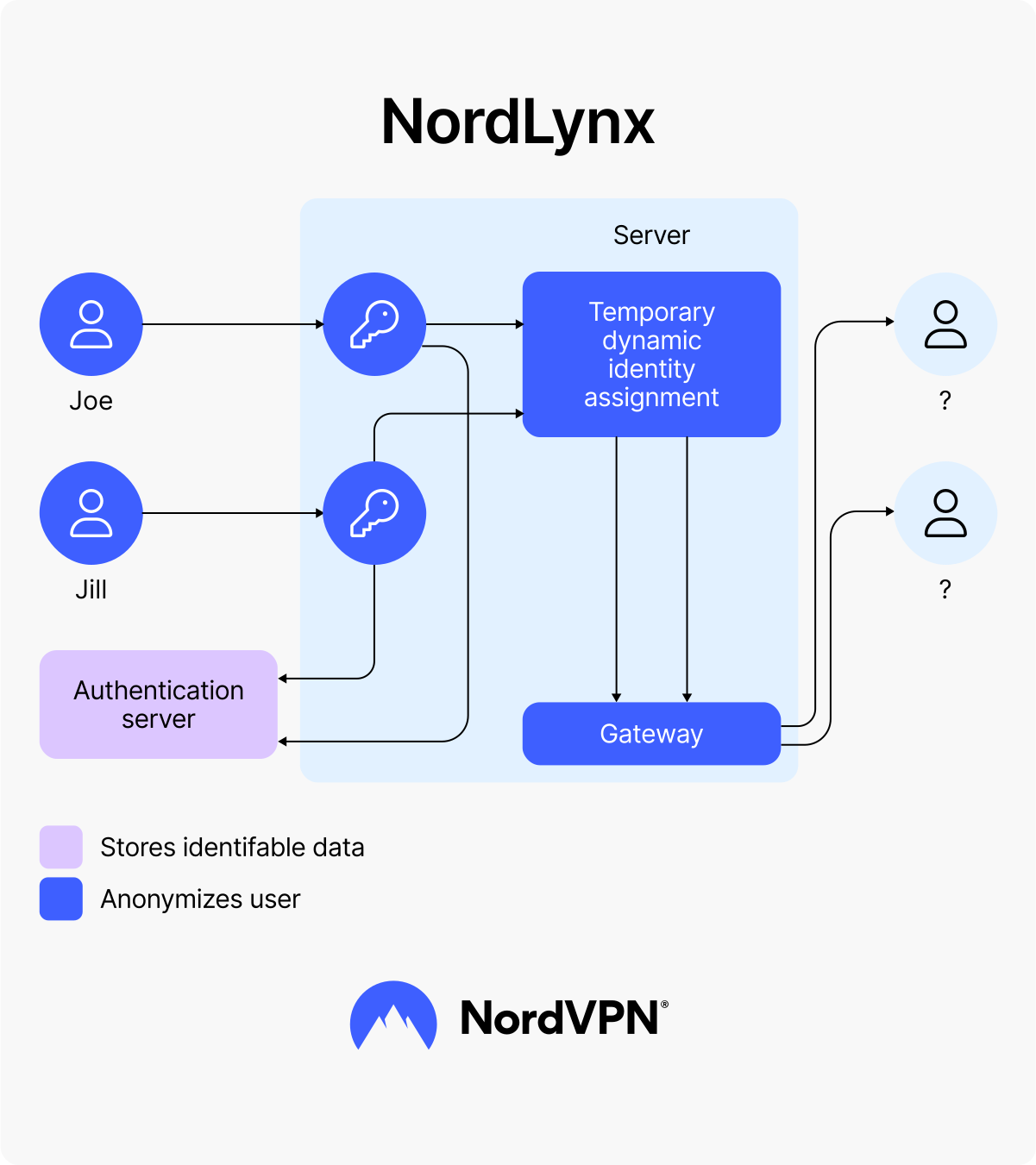
As a result of the implementation of NordLynx, NordVPN has seen a significant increase in its speeds, nearly doubling its performance compared to pre-WireGuard results.
This makes NordVPN one of the fastest VPNs on the market, alongside CyberGhost, Privado, and ExpressVPN.
With NordLynx, NordVPN is fast enough to stream video in 4K resolution, live stream HD video, and high-quality video conferencing without compromising security.
To measure the speed of NordVPN, use online speed test websites such as speedtest.net or fast.com. These will provide your internet connection’s download and upload speeds and ping.
Compare the results by running the test both with and without NordVPN connected.
Download speed refers to the rate at which data is transferred from the Internet to your device. It is typically measured in megabits per second (Mbps).
A higher download speed means more data can be transferred in a shorter time, resulting in faster download times for files and videos.
Upload speed refers to the rate at which data is transferred from your device to the Internet. It is also typically measured in megabits per second.
A higher upload speed means you can upload more quickly, such as photos and videos.
Ping is the time it takes for a packet of data to be sent from your device to a server and back. It is typically measured in milliseconds (ms).
A lower ping means the connection is faster and more responsive, which is vital for online gaming and video conferencing.
The company consistently offered stability and respectable speeds when we tested it on a 100 Mbps connection in one of our US-based testing facilities, as described in the NordVPN speed test that follows.
| Server | Download Speed | Upload Speed | Ping |
|---|---|---|---|
| USA (Atlanta) | 90.84 Mbps | 82.22 Mbps | 32 ms |
| Canada (Toronto) | 100.99 Mbps | 85.08 Mbps | 23 ms |
| UK (London) | 78.97 Mbps | 86.84 Mbps | 26 ms |
Local Speeds with Nearby Server
| Condition | Download Speed | Upload Speed | Ping |
|---|---|---|---|
| Without NordVPN | 100 Mbps | 100 Mbps | 4 ms |
| With NordVPN | 98.34 Mbps | 95.64 Mbps | 8 ms |
As you can see, the results of Nord VPN’s short-distance speed test were really impressive: our download and upload speeds dropped by just 2% and 5%, respectively. This is ideal for fast torrent downloads and buffer-free Netflix watching.
As long as you connect to a server nearby, ping times are also reasonably low, allowing you to enjoy online games with no lag.
Worldwide Speed Test Results
| Location | Download Speed | Upload Speed |
|---|---|---|
| USA (New York) | 78.46 Mbps (21% slower) | 43.49 Mbps (57% slower) |
| Singapore | 66.31 Mbps (33% slower) | 21.40 Mbps (79% slower) |
| Australia (Sydney) | 59.59 Mbps (40% slower) | 29.71 Mbps (71% slower) |
| Germany (Berlin) | 88.22 Mbps (12% slower) | 88.32 Mbps (12% slower) |
NordVPN maintains high-speed connections, which are significantly faster than what we generally experience from competing VPNs, even in locations as distant as Australia.
Performance of NordVPN with other protocols
NordLynx is a new VPN protocol developed by NordVPN; it is based on the WireGuard protocol and is optimized explicitly for Nord VPN’s network.
It is faster than other VPN protocols, such as OpenVPN and IKEv2, because it uses a new, more efficient encryption method. It also requires less computational power, which means it can run on a broader range of devices.
Another advantage of NordLynx is its security. It uses the latest encryption standards, including the ChaCha20-Poly1305 algorithm, which is considered very secure.
NordLynx uses a “double NAT” technique to protect your IP address from prying eyes.
| Protocol | Speed | Security | Stability in connections |
|---|---|---|---|
| NordLynx | Highest | High | Medium |
| OpenVPN (TCP) | Low | High | High |
| OpenVPN (UDP) | High | High | Medium |
| IKEv2 | High | Medium | High |
Speeds of Other Top VPNs Compared to NordVPN
NordVPN is not just any ordinary VPN; it is a speed demon! According to AV-TEST, a well-respected independent IT security institute, NordVPN leaves all other popular VPNs in the dust regarding speed. It is so fast that it is nearly twice as quick as its closest competitors are.
This makes NordVPN the perfect choice for anyone who wants to stream, download, or browse the web at fast speeds without compromising security.
How Good is NordVPN for Streaming?
NordVPN is a top choice for streaming due to its SmartPlay feature, which allows you to bypass tough geo-restrictions while maintaining your security.
With its 6000+ servers in 111 countries, you have to choose from various options.
The VPN can unblock popular streaming platforms like Netflix, Amazon Prime Video, Disney+, Hulu, BBC iPlayer, HBO GO, Hotstar, and more with high-definition, buffer-free streaming.
NordVPN also allows you to access social media sites and other website destinations that may be restricted in certain areas, even in countries with solid censorship laws.
Overall, NordVPN offers premium features and good value for its pricing.

NordVPN is a reliable and effective option for streaming Netflix content from various international locations.
It offers seamless access to the Netflix libraries of multiple countries, including the US, UK, Canada, Sweden, Italy, and more. In addition, it can also unblock notoriously difficult-to-access libraries such as Japan.
With NordVPN, you can enjoy a wide range of Netflix content without hassle or interruption. Its advanced technology ensures that you can stream smoothly and securely, making it a top choice for anyone looking to access international Netflix libraries.

NordVPN and BBC iPlayer are a winning combination for streaming high-quality videos without interruptions.
By connecting to NordVPN’s UK servers, you can easily bypass the geo-blocking of BBC iPlayer and watch Ultra-HD videos.
We tested this by connecting to the London, United Kingdom server and were able to access BBC iPlayer content quickly and smoothly.
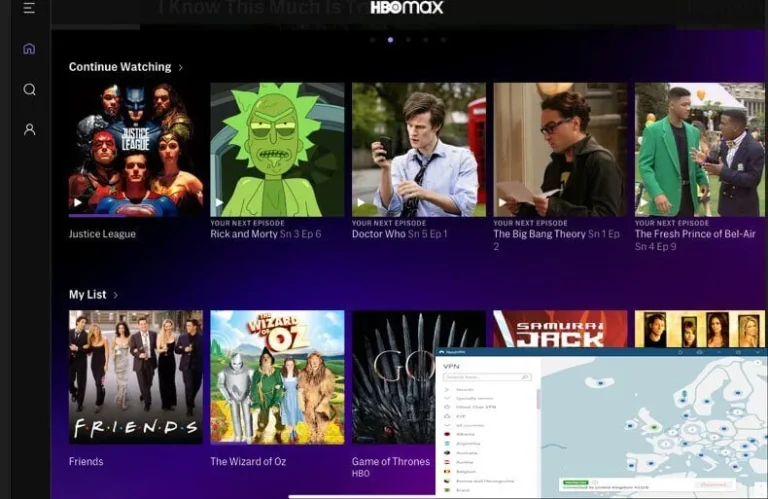
HBO Max is known for its fast load times and smooth streaming experience, regardless of whether a VPN is used.
During testing, no lag or buffering was encountered when accessing the service from various US servers.
Overall, accessing HBO Max with a VPN is a seamless experience, with no significant difference in performance.
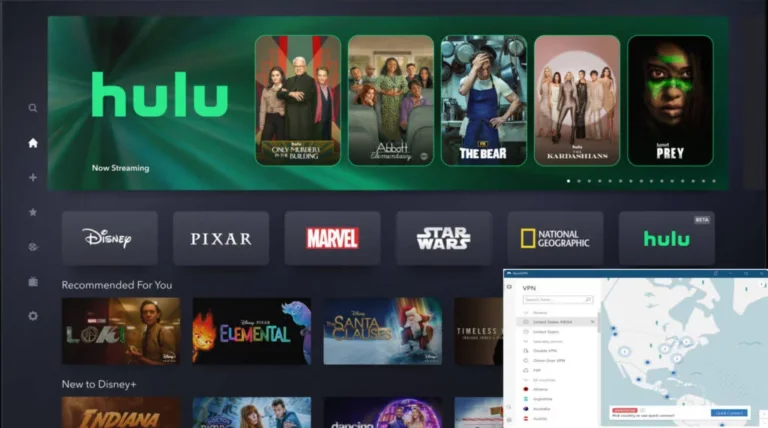
NordVPN successfully unblocks Hulu. There were no problems with video frame rates, loading times, or anything else.
For testing, we reconnected to the Buffalo, New York server and were able to successfully unblock Hulu with barely a 3 to 4-second difference. The experience of using NordVPN with Hulu was fantastic.
For the best possible streaming experience, it is recommended to clear your browser cache, cookies, and history before using NordVPN to access streaming services.
Disabling GPS or location services and clearing the cache of streaming applications on handheld devices can also enhance the streaming experience
Is NordVPN compatible with Streaming Boxes?
NordVPN is compatible with various streaming boxes and devices, enabling users to access a wide range of streaming platforms.
The VPN provider offers detailed guides and instructions for installation on devices such as Amazon Fire Stick, Kodi, and Roku, making it easy to use on any device.
NordVPN’s streaming infrastructure is top-notch, allowing users to access streaming platforms and the flexibility to watch them in their preferred way.
Does NordVPN Allow Torrenting?
Yes, NordVPN allows Torrenting on its network. The VPN service provides dedicated P2P servers specifically designed for file sharing.
It also offers a SOCKS5 proxy that can enhance the security and privacy of your Torrenting activities.
NordVPN has no data limits, so you can download and upload as much as you want without worrying about running out of data.
Overall, NordVPN is an excellent option for those looking to torrent securely and privately.
Is the speed of NordVPN fast enough for gaming?
NordVPN is a good option for gaming, but there may be better choices for those who are serious about online gaming and require low latency for fast-paced games such as shooters.
While NordVPN can help protect you from DDoS attacks and allow you to access gaming content in different regions, it may introduce some added latency which may be a concern for some gamers.
However, for general-purpose gaming, NordVPN is a solid choice for privacy and security. Still, if you are looking for the best gaming VPN with minimal latency, consider looking into other options.
How Many Servers Does NordVPN Offer?
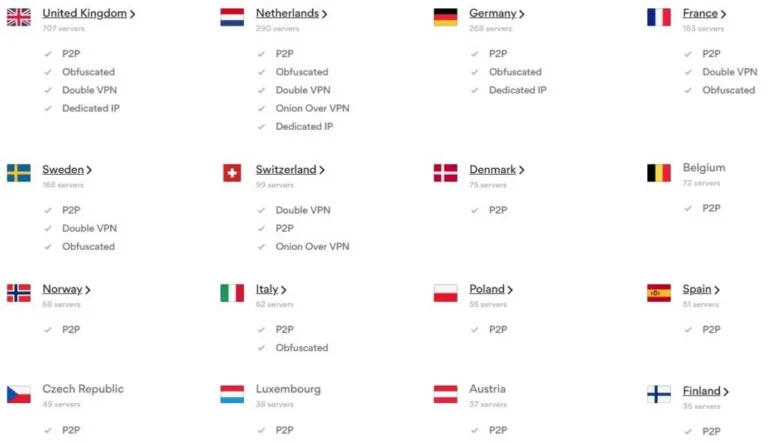
NordVPN is a VPN service provider that has a worldwide presence. They have 6000+ servers in their network, which are spread over 111 different nations.
Overall, it represents a significant expansion from 2018, when NordVPN only had about 3,300 servers
| Region | Number of Countries | Number of Servers |
|---|---|---|
| Asia | 18 | ≈ 545 |
| Europe | 56 | ≈ 2907 |
| Americas | 25 | ≈ 2700 |
| Rest of the World | 15 | ≈ 220 |
In addition to its standard servers, NordVPN offers many specialized server types that provide additional features and benefits.
NordVPN has P2P servers optimized for peer-to-peer file sharing, and Obfuscated servers, designed to bypass internet censorship in countries like China.
NordVPN also offers Collocated servers that are physically located in the same data centers as popular websites, allowing users to access them faster and with lower latency.
Diskless (RAM) servers are servers that don’t store any data on a hard drive, which makes them extra secure.
Onion Over VPN servers allow users to access the dark web using the NordVPN network, and Double VPN servers encrypt your traffic twice, providing an extra layer of security.
NordVPN also offers Dedicated IPs, which are unique IP addresses that are assigned to a single user.
This allows users to access services and websites restricted to shared IP addresses, such as online banking and streaming services.
Overall, NordVPN offers a wide range of server options to meet the needs of different types of users, including a variety of specialized servers that provide additional security and privacy features.
NordVPN offers a straightforward pricing structure with three main plans: Standard, Plus, and Complete.
The cost of each plan varies depending on the subscription duration you select, with options for 1-month, 1-year, and 2-year subscriptions.
| Plan | 2-Year Plan | 1-Year Plan | Monthly Plan |
|---|---|---|---|
| Basic | $3.99 /month | $4.99 /month | $12.99 /month |
| Plus | $4.99 /month | $5.99 /month | $13.99 /month |
| Complete | $5.99 /month | $6.99 /month | $14.99 /month |
The Complete plan’s two-year subscription is the best deal in terms of features and price.
This plan includes a bundle of Nord products, including a secure VPN, password manager, and encrypted cloud storage, offering the highest security level for all your data and activities.
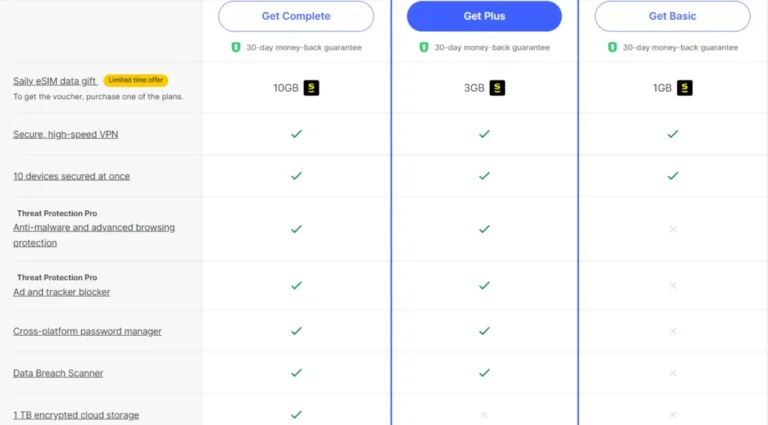
Three subscription bundles are available from NordVPN, each with different features.
The addition of Nord VPN’s other security tools, including a data breach scanner, password manager, and encrypted file storage service, is what distinguishes them.
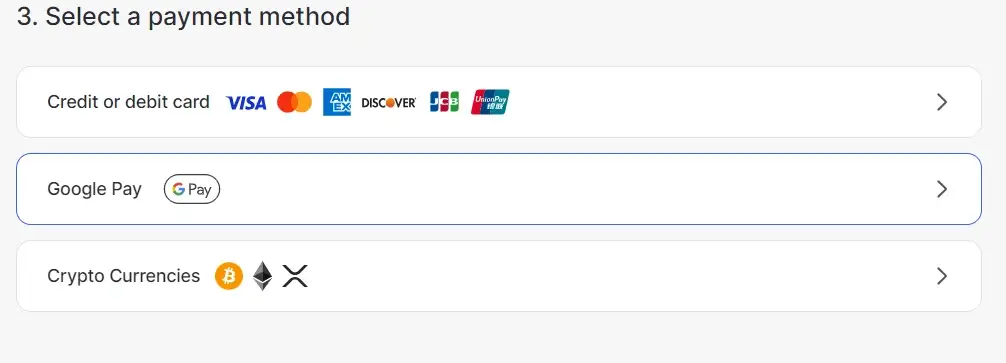
Payment options include credit cards, prepaid cards, PayPal, AmazonPay, Sofort, iTunes, ACH Transfer, and Google Pay.
For added privacy, you can purchase NordVPN with cryptocurrencies or from retail stores.
With its easy-to-understand pricing and wide range of payment options, NordVPN makes it simple to protect your online privacy.
How can I get NordVPN for free?
NordVPN is a paid service, and no free version is available. However, they offer a free trial for new users to test the service before committing to a subscription.To make an informed decision, dive into our comprehensive Buying Guide before choosing a VPN.
Additionally, NordVPN offers various pricing plans for monthly, yearly, and longer-term commitments, with discounts available for longer subscriptions.
NordVPN offers a 30-day money-back guarantee if you’re unsatisfied with the service. To request a refund, you’ll need to contact their customer support within 30 days of purchase.
They accept multiple forms of payment, including PayPal and cryptocurrencies.
While a free VPN may seem like a good idea, it often comes with limitations and risks, such as slower speeds, data caps, and even security and privacy issues.
For this reason, it’s viable to use a paid VPN service like NordVPN for the best protection and performance.
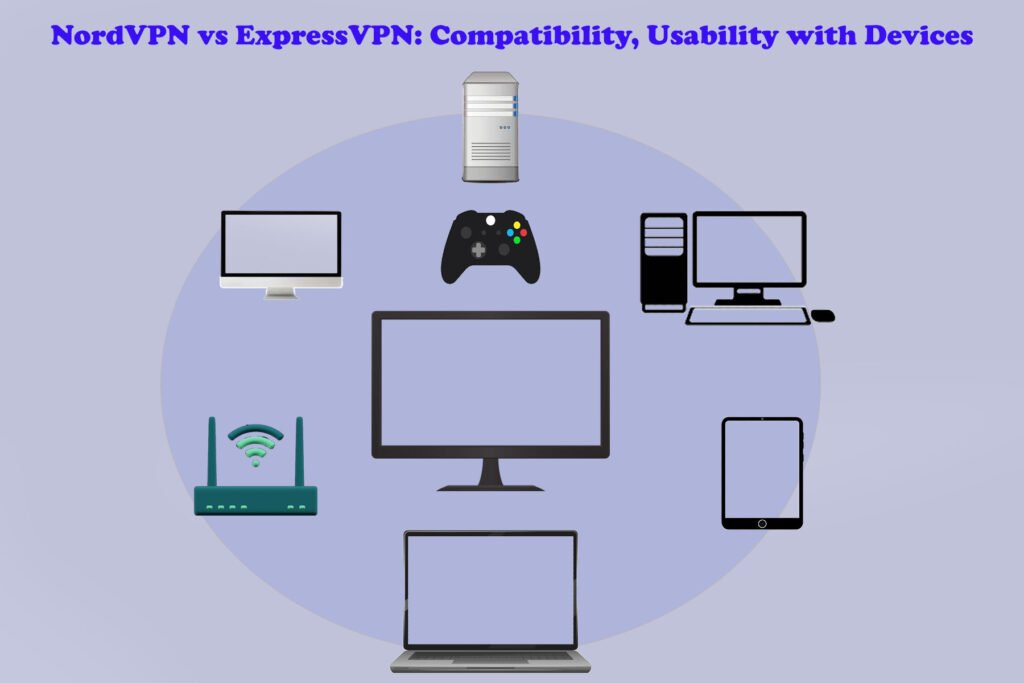
How compatible and User-friendly is NordVPN with Mac, Windows, Android, and Other Platforms?
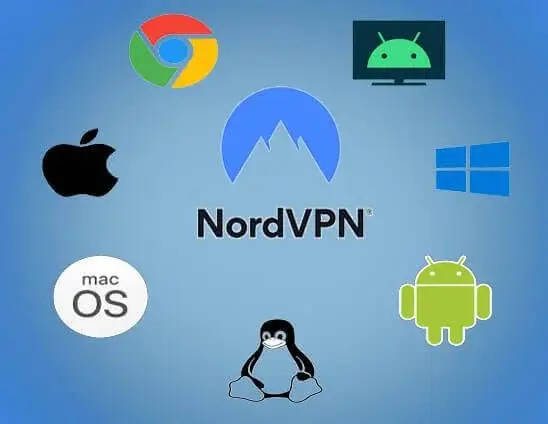
NordVPN is an excellent option for those who need to protect multiple devices, as it offers support for a wide range of platforms, including Windows, Mac, Linux, Android, iOS, and more.
Additionally, Nord VPN’s Chrome and Firefox extensions make it easy to secure your connection without needing to open the app, making it an excellent choice for users who want to stay protected on the go.
With its support for multiple devices and its convenient browser extensions, NordVPN is one of the best VPN options for users who need to protect multiple devices.
Nord VPN’s Windows Client
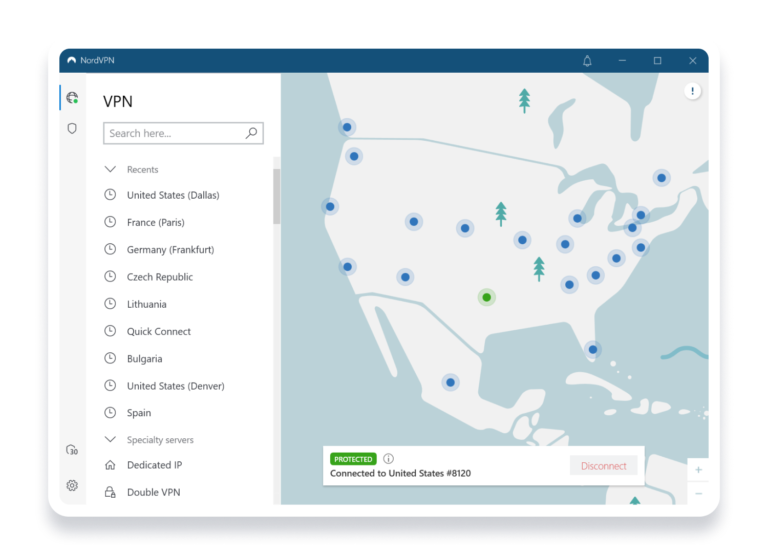
NordVPN is a popular VPN service that offers advanced features for Windows users. One of the critical features of the NordVPN Windows client is the inclusion of Two different split tunneling and kill switch options.
The split tunneling feature allows users to choose which apps and websites will use the VPN connection, while the kill switch ensures that internet access is cut off if the VPN connection drops.
The Windows client offers an “invisibility on LAN” feature, which allows users to remain invisible to other devices on their local network.
Another notable feature of the NordVPN Windows client is the inclusion of the NordLynx and OpenVPN (TCP/UDP) tunneling protocols.
However, you must use a manual setup if you require IKEv2. Despite that, the speeds offered by NordLynx and OpenVPN are sufficient for most users.
The NordVPN Windows client also offers a user-friendly interface with a clickable map for choosing the connection country and a country list in the sidebar.
Users can also connect to the fastest server available with a single click. Overall, the NordVPN Windows client offers users a convenient and feature-rich experience.
Nord VPN’s macOS Application
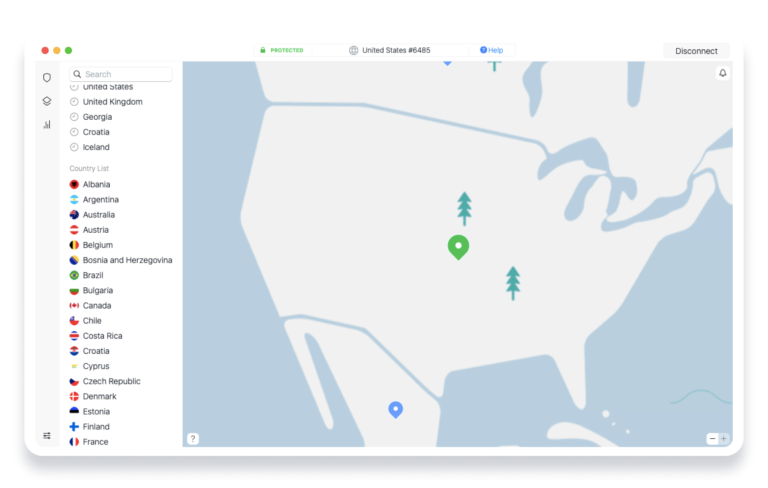
NordVPN offers a unique approach to its compatibility with macOS by providing two different apps for the platform.
You can download one of the apps from the NordVPN website, while the other is accessible on the App Store.
This approach is due to the strict review process that Apple has in place for existing apps on their App Store, which can delay updates.
The sideload version of NordVPN has more recent updates, but it only supports OpenVPN tunneling protocols.
It also helps older macOS versions and has a kill switch that only works with specific applications.
The version from the App Store, on the other hand, supports NordLynx, IKEv2, and OpenVPN tunneling protocols.
It also has a kill switch that is turned on by default but can be turned off in the VPN’s Settings section. The most recent Presets feature is present in both versions.
Both versions of NordVPN for macOS have a similar look and feel, which can be confusing.
Despite the confusion, NordVPN is still an excellent option for Mac users and is worth considering as one of the best VPNs for Mac.
Nord VPN’s iOS Application
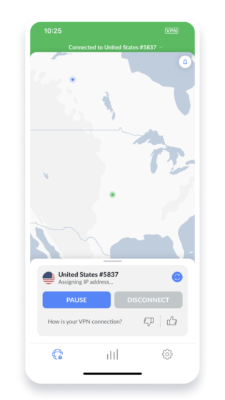
NordVPN is a VPN service that is compatible with iOS and Android devices.
The iOS app for NordVPN is identical to the Android app, with a country list hybrid interface and similar icons at the bottom of the screen.
Both apps offer features such as a kill switch and dark web surveillance. However, there are some differences in the details between the two apps.
For example, the iOS app has a Favorites tab but does not offer split Tunneling or a configurable kill switch.
One of the key advantages of the NordVPN iOS app is the variety of protocols available to users.
In addition to IKEv2, OpenVPN (TCP/UDP), and NordLynx, iOS users can also access the Double VPN feature.
This is particularly noteworthy given the restrictive nature of Apple’s policies for app developers.
Despite these limitations, the NordVPN team has done an excellent job of creating a feature-rich and user-friendly app for iOS users.”
iOS interface is known for its user-friendly design. Learn more about protecting your iPhone with the best VPN for iPhone. Read our article to find out more.
Overall, NordVPN is considered one of the best VPNs for iOS today.
Nord VPN’s Android Application
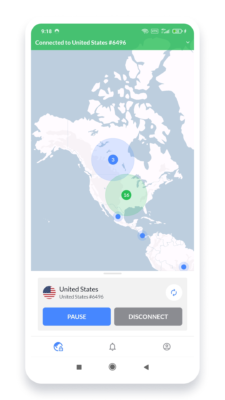
NordVPN is a popular VPN service compatible with iOS and Android devices.
The NordVPN Android app features a map and country list hybrid interface that makes it easy for users to select a server and connect quickly.
The app includes security features like a kill switch and Dark Web monitoring, which checks if your data has been exposed to prying eyes.
The NordVPN Android app offers a variety of features to enhance the user experience, including split Tunneling, a Programmable kill switch, pausing, and auto-connect.
As for tunneling platforms, Android users can access NordLynx and OpenVPN (UDP/TCP). The Double VPN feature is also available via OpenVPN and NordLynx.
The app’s full ioXt Certification proves that it adheres to the highest security standards, another important aspect.
Its user-friendly interface and robust security features provide a secure and reliable experience for Android users.
NordVPN for Linux
NordVPN is a VPN service that is compatible with Linux operating systems.
Users can download Debian and RPM packages from the official NordVPN website, which are compatible with distributions such as Ubuntu, Linux Mint, Fedora, and others.
A community-made Arch Linux port is also available with guides for manual connections and OpenVPN and IKEv2 connections, making it an excellent option for Linux users.
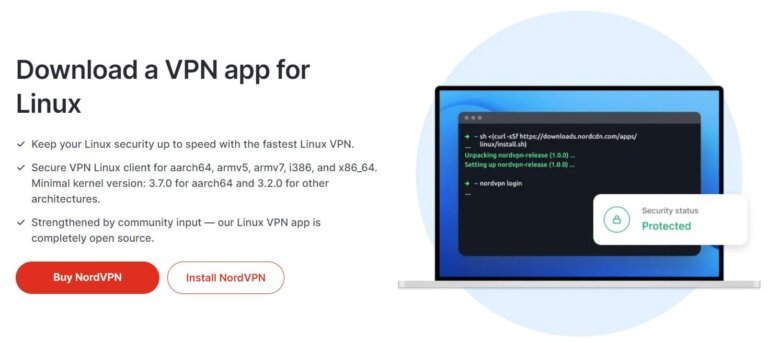
One of the downsides of using NordVPN on Linux is that it does not have a graphical application. Instead, users are required to set up and configure the VPN using a command line terminal.
Despite the lack of a graphical interface, NordVPN for Linux does offer several important security features. It includes DNS leak protection and a kill switch, but unfortunately, there is a strange bug with the kill switch.
Overall, NordVPN offers a good option for Linux users with robust security features and compatibility with multiple distributions.
However, the lack of a graphical interface and the occasional bugs with the kill switch and slow responsiveness are things that the company should improve.
Does NordVPN have Browser Extensions, and do these Work well?
NordVPN offers browser extensions for Firefox and Chrome users. These extensions provide an easy and lightweight solution for users who prefer not to install a standalone VPN application on their devices.
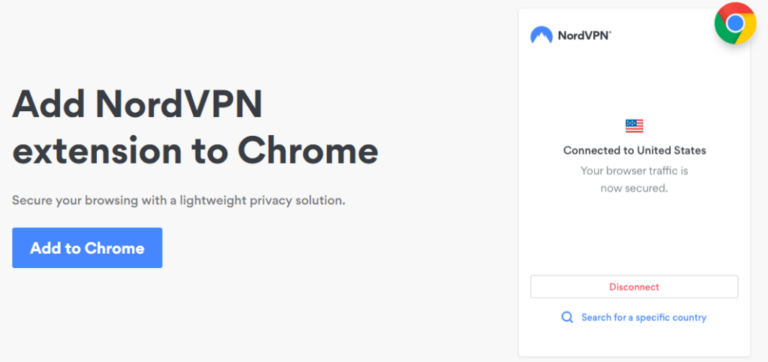
Additionally, browser extensions can be a helpful workaround for users with older systems incompatible with the VPN apps.
Please note that browser extensions only protect the browser traffic, not the entire device.
The NordVPN browser extensions offer valuable features such as WebRTC blocking to prevent IP leaks and CyberSec for phishing and malware protection.
They also include a Bypass List to exclude specific websites from the proxy connection.
This feature is similar to split tunneling, which is not available in the NordVPN apps for macOS.
In addition, NordVPN also provides a browser extension for Chromebook users to protect their browsing activity on Chrome browser.
It is easy to install and provides all the features available on Firefox and Chrome browser extensions. The extensions offer robust security features and allow users to control their traffic better.
NordVPN for Routers and NAS
NordVPN is a popular VPN service that offers compatibility with a wide range of devices, including routers and NASs.
One of the key benefits of using NordVPN on a router is that it allows you to protect all your connected devices at once without installing the VPN on each device individually.
However, it’s important to note that not all routers are compatible with NordVPN.
To ensure compatibility, you should look for routers that support the OpenVPN protocol and have firmware from brands such as ASUS WRT, DD-WRT, ASUS Merlin, EdgeRouter, NetDUMA, Portal, Tomato, OpenWRT, OPNsense, and pfSense.
A constant, always-on VPN connection for an unlimited number of devices is another advantage of using NordVPN on a router.
The VPN will safeguard all connected devices for as long as your router is connected to the Internet.
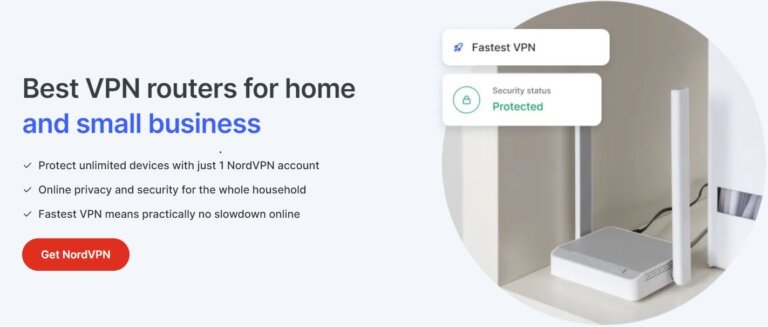
Additionally, using NordVPN on a router can be an easy way to use VPN connections on devices like gaming consoles and smart TVs that do not natively support them.
NordVPN also offers easy install guides for setting up the VPN on routers from popular brands like Asus, Linksys, D-Link, and Netgear.
Overall, NordVPN is a great option for those looking to protect all their devices at once and enjoy peace of mind with always-on VPN protection.
NordVPN for Smart TVs and Gaming Consoles
NordVPN is a versatile VPN service that can be used on various devices, including smart TVs and gaming consoles.
The service offers apps for Android TV, Apple TV, and Amazon Fire TV Stick, which can be easily downloaded from the app store.
These apps offer similar features as the NordVPN app for other devices, but the interface is slightly different, and users will not have access to the map feature.
There are a few different options for users who want to install NordVPN on devices such as Chromecast, Roku, Xbox, Nintendo, and PlayStation. Changing your device’s DNS using Nord VPN’s SmartDNS proxy is the simplest option.
Users of NordVPN can set up the SmartDNS proxy with the help of a comprehensive guide that can be completed in a matter of minutes. On PlayStations and Smart TVs, this option works very well.
Another option is to set up a hotspot on your computer and use the VPN connection on other devices.
This is a simple and effective way to protect your smart TVs and gaming consoles while using NordVPN.
Overall, NordVPN is an excellent choice for users who want to protect their smart TVs and gaming consoles while still enjoying the full range of features offered by the VPN service.
Nord VPN’s Customer Support
NordVPN offers excellent customer support to its users through various channels.
Their well-informed support agents are available 24/7 to assist you with any questions or concerns.
The support team can be contacted via live chat, email, and NordVPN Chatbot.

Additionally, the NordVPN website has a comprehensive help center with guides, FAQs, and in-depth tutorials to answer various questions.
If you have a specific query, contact their support team via email at “support@nordvpn.com.” They also have a ticketing system for easy tracking of your issue.
The website also has a detailed help section where you can find troubleshooting guides, installation tutorials for popular devices, and helpful FAQs.
Overall, NordVPN’s customer support is fast and reliable, ensuring users have the assistance they need to get the most out of their NordVPN experience.
Is NordVPN worth it?
In conclusion, NordVPN is an excellent VPN service that offers speed, reliability, and security.
It has passed an independent audit from PwC and uses the secure AES-256 encryption and the next-generation NordLynx protocol.
As a result, it is an excellent choice for streaming Netflix and connecting to the Internet from nations with internet restrictions.

NordVPN is a polished and professional service, and it is no surprise that it consistently earns gold-metal status for its stellar service.
With dependable access to sites like US Netflix, UK Netflix, BBC iPlayer, Hulu, and more streaming services, easy-to-use features, the highest level of encryption, an extensive global network, and top-notch customer support, it’s an excellent option for anyone looking for a VPN.
The VPN service offers great value for its functionality and has clients for Windows and Android users that are easy to use. Apple users also get many pleasant additions, making it accessible across all platforms.
Overall, NordVPN delivers smooth performance, affordable plans, and excellent security features like Onion over VPN, Obfuscation servers, and CyberSec, which only a few VPN providers offer.
The VPN service also boasts super-tight security, including a strict no-logs policy and double encryption, which work hard at protecting your information and guaranteeing your anonymity and privacy online.
Overall, NordVPN is an appealing VPN provider that offers incredible quality at an affordable price, and we highly recommend it.
To stay updated on the latest news, tips, and exclusive offers, follow us on Twitter, LinkedIn, and Pinterest. Explore the vast landscape of online protection with NordVPN, and let your digital journey be seamless and secure.
Feel free to reach out via our Contact Us page for any inquiries or further assistance on maximizing your VPN experience.
NordVPN Review: Frequently Asked Questions
Is NordVPN that good?
NordVPN offers lightning-fast speeds, unrestricted access, and top-notch security. This effective VPN service has thousands of servers worldwide; all protected by double VPN and advanced security features.
NordVPN covers whether you want to stream restricted content or safeguard your online privacy. Get NordVPN to improve your online experience right away.
Does NordVPN work with Fire TV Stick?
With NordVPN, you can use your Fire TV Stick to its full potential. From the Amazon App Store, download the NordVPN native app for Fire TV Stick (version 2 or later).
After downloading the client and logging in, you can connect to the server in the desired nation.
With Nord VPN’s vast server network, you can easily unblock popular platforms such as Hulu, Disney+, HBO Max, and many more. Start streaming live TV without restrictions with NordVPN on your Fire TV Stick.
Does NordVPN allow Remote access?
NordVPN does not support port forwarding, so it may not be possible to use a remote desktop service while connected to NordVPN.
Port forwarding is often required for remote desktop connections as it allows incoming connections to reach the desired device.
However, NordVPN does not allow port forwarding due to security reasons.
Is NordVPN legal in Australia?
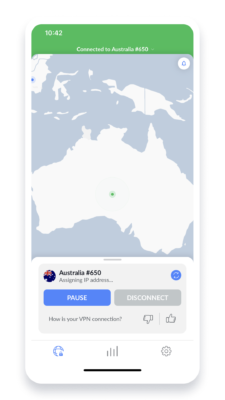
Despite the country’s strict data retention laws, VPNs are legal in Australia. NordVPN allows you to protect your online privacy and bypass geographical restrictions while still adhering to the country’s laws.
Remember that while using NordVPN is legal, downloading copyrighted content via Torrenting remains illegal.
To protect their data privacy, many Australians have turned to NordVPN to keep their online activity private from their Internet Service Provider (ISP). Stay protected with NordVPN in Australia.
Can NordVPN block ads?
Yes,Say goodbye to annoying ads and malware with Nord VPN’s CyberSec feature. With just one click on the settings page, you can activate this feature and start browsing ad-free.
During my testing, I found that CyberSec effectively blocked ads on popular websites like BuzzFeed, Forbes, and DailyMail. Not only that, but it also prevented me from accessing sites with malware.

This is a huge plus, as only a few VPNs offer this ad and malware protection level. Not only will it improve your browsing experience, but also it will boost your loading times as you don’t have to wait for the ads to load.
Yes, The company claims its service can bypass China’s strict internet censorship laws and provide a secure connection.
Whether a traveler or a resident, you can easily connect to any server using one of Nord VPN’s apps.
For even better results, use Nord VPN’s Obfuscated Servers feature, specifically designed to work in countries with heavy censorship.
With NordVPN, you can access blocked websites, apps, and social media platforms, keeping your online activity private and secure.
What is NordPass?
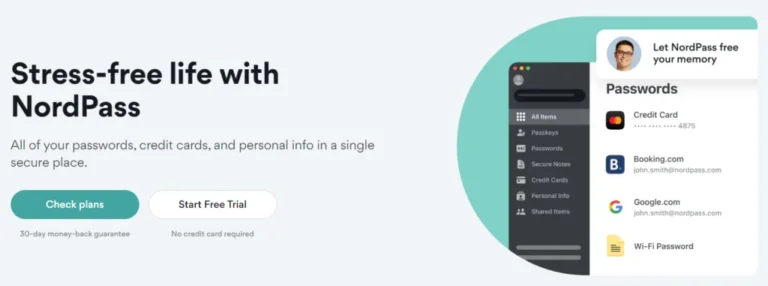
NordPass is the Password manager that takes the hassle out of password management.
Keep your online accounts secure and easily accessible with NordPass, a separate app from NordVPN.
Experience peace of mind with the ability to take control of your online security. Say goodbye to forgotten passwords and security breaches with NordPass.
Does NordVPN offer a student discount?
Yes, as a student you can access exclusive discounts on Nord VPN’s already affordable rates by verifying your student status.
Get the same top-notch security and privacy features that regular users enjoy at a fraction of the cost.
Take advantage of this opportunity to protect your online activity while staying within your budget.
Sign up for NordVPN now through MyUnidays and secure your online experience at a discounted student rate.