Best VPN for Android in 2024: Top Picks for Security and Speed

Best VPN for Android in 2024: Top Picks for Security and Speed

Table of Contents


Best VPN for Android in 2024 for Secure Browsing.

A VPN for Android protects privacy and ensures a secure connection between your device and the internet. It allows you to unblock restricted content, access services from different regions, and maintain secure browsing.

An excellent VPN for Android enables fast streaming, file downloads, and gaming. Without a VPN, hackers and other behavior-tracking applications can easily steal this information from you. Connecting with the best VPN for Android ensures that all sensitive data is encrypted, protecting it from cyber threats.

Hence, using a VPN for Android is not just a tech-savvy move. Still, it is a necessity for anyone seeking privacy and freedom online. Up next, we’ll explore the best VPNs for Android in 2024, their key benefits, how to choose the right one for your needs, and much more. Stay tuned to learn how you can make the most out of your Android VPN.

The Best VPNs for Android in 2024: Quick Guide

VPN Service Key Features Why It’s Great for Android
NordVPN Strong encryption, fast speeds, no-logs Best for security and streaming on Android
ProtonVPN Free plan available, secure core servers Great for privacy-focused Android users
Surfshark VPN Unlimited device connections, budget-friendly Perfect for families using multiple Android devices
ExpressVPN Ultra-fast servers, high compatibility Ideal for unblocking streaming services on Android
Private Internet Access VPN Large server network, customizable settings Best for Android users needing advanced security options

What Are the Benefits of Using a VPN for Android?

Using a VPN unlocks several benefits that extend far beyond privacy. Are you worried about protection from social networks? Need access to geo-blocked content?

With the best VPN for Android, you’re not only protected but can also enjoy a smooth, unrestricted online experience. Now, let’s take a closer look at the key benefits of using a VPN for Android and how it can enhance your digital life:

Three Benefits of a VPN for Android - Access, Safety, and Anonymity

1) Enhanced Privacy and Security 

A safe Android VPN ensures that all activities on the internet are protected by encryption, thus making it extremely difficult for hackers, advertisers, or your ISP to follow your activities. A good VPN service for Android means users’ data, such as passwords and credit card information, is well protected.

2) Access Geo-Restricted Content

One of the primary uses of VPNs for Android is to bypass geo-restrictions. If you want to download a show from Netflix or watch content prohibited in your region, the best Android VPN allows you to change your virtual location and enjoy unrestricted access.

3) Stay Safe on Public Wi-Fi 

People using public Wi-Fi networks might be hacked, so their data can be easily attacked. A good VPN for Android protects you by encrypting your connection, making it much harder for hackers to intercept your data when using unsecured networks.

4) Prevent Bandwidth Throttling

Some ISPs lower your internet speed when they observe that you are using a lot of data, particularly when downloading or streaming. With a VPN app for Android, your traffic is encrypted, which helps you avoid throttling and enjoy consistent speeds for a better experience.

5) Safe and Anonymous Torrenting 

For those who download torrents on their Android devices, a reliable VPN for Android helps to disguise your IP address and protect the traffic from legal consequences and your ISP’s attention.

6) Protect Multiple Devices 

Many VPN services allow you to protect multiple devices with one account. The top VPNs for Android often offer this feature so that you can easily protect your phone, tablet, and other Android devices.

Buying Guide: How to Choose the Best VPN for Android in 2024

Key Factors for Choosing the Best VPN for Android.

Choosing the best VPN for your Android is crucial because there are many VPN providers in 2024. But at least you’ll know what features to look for, so the decision will be much easier. Here’s a quick buying guide to help you pick the right VPN for your Android device:

1. Strong Security and Privacy Features 

Look for a VPN service for Android that offers AES-256 encryption, a no-logs policy, and extra features like a kill switch. These are crucial to make sure your data is not compromised while using public Wi-Fis. A good Android VPN will shield your data from hackers and trackers when you are online.

2. Speed and Performance 

Speed is a major factor when choosing the best VPN for Android. Whether you’re streaming, gaming, or browsing, you need a fast VPN for Android that won’t slow down your connection. Check for services known for their high-speed servers and consistent performance.

3. Compatibility with Streaming Services 

All VPNs are different, so if you plan to unblock Netflix or Hulu, always check whether your chosen VPN is compatible with these sites. The best VPN for streaming on Android will bypass geo-restrictions and allow you to watch your favorite shows from anywhere.

4. Ease of Use on Android Devices 

The best VPN app for Android should have an intuitive, easy-to-use interface. Look for apps that allow you to connect with a single tap, customize your settings, and automatically connect to secure servers when needed.

5. Multiple Device Support 

If you have other devices besides your Android phone, choose a VPN for Android that allows multiple device connections. Most of the best VPNs that work with Android also support Windows, iOS, and other operating systems so that users can access all their devices under one account.

6. Server Network and Locations

A more extensive server network means more options for bypassing geo-restrictions and finding faster connections. The VPNs recommended for Android in 2024 will consist of thousands of VPN servers from all over the world, so you can be sure that there will always be a server nearby and fast.

7. Affordable Pricing Plans 

Price matters. Look for a cheap VPN for Android that doesn’t compromise on essential features. Many top providers offer discounts on longer subscription plans, so you can enjoy premium security at a lower cost.

8. Customer Support 

Reliable customer support is crucial. Choose a VPN service for Android that offers 24/7 support through live chat or email if you run into any issues while setting up or using the app.

In-Depth Review: The Best VPNs for Android in 2024

Best VPNs for Android in 2024 - NordVPN, ProtonVPN, Surfshark

Choosing the best VPN for Android in 2024 Below, we provide an in-depth review of the five leading VPNs for Android, covering key features, pros, cons, and pricing for each is easier when you know the top contenders. 

Below, we provide an in-depth review of the five leading VPNs for Android, covering key features, pros, cons, and pricing for each.

1. NordVPN

NordVPN remains one of the most secure VPNs for Android thanks to its strong encryption and privacy policies. It has a vast server network, high-speed servers, and excellent security features, making it an ideal choice for Android users.

If you’re looking for a detailed analysis of one of the top VPNs, check out our NordVPN review. In this review, we dive deeper into NordVPN’s essential features, performance, and why it stands out as one of the best VPNs for Android.


NordVPN for Android - 75% Off Digital Privacy Deal

Key Features:

  • 6000+ servers in 111 countries
  • AES-256 encryption and no-logs policy
  • CyberSec for blocking malware and ads
  • Works with Netflix and other streaming services

Positives: 

  • Strong security features
  • Fast speeds for streaming and browsing
  • Great for privacy-conscious users

Negatives:

  • Slightly more expensive than other options without long-term plans.

Pricing: 

Plans Complete Plus Basic
2 – Year Plans $ 5.49 /month $ 4.49 /month $ 3.59 /month
1 – Year Plans $ 6.99 /month $ 5.99 /month $ 4.99 /month
1 – Month Plans $ 14.99 /month $ 13.99 /month $ 12.99 /month

2. ProtonVPN

ProtonVPN is highly regarded for its privacy-first approach. With a free plan that includes unlimited data, it’s an excellent option for budget-conscious Android users. ProtonVPN is one of the best private VPNs for Android, focusing on user privacy and security.

Key Features: 

  • No-logs policy and strong encryption
  • Secure Core servers for extra protection
  • Free plan with unlimited data (limited to 3 countries)
  • Works on Android, Windows, and other devices

Positives:

  • Strong focus on privacy
  • Free plan available
  • Excellent for privacy-focused users

Negatives: 

  • Free plan has limited server locations
  • Fewer servers compared to other premium VPNs

Pricing: 

Plans 2- Year Plan 1 – Year Plan 1 – Month Plan
Proton VPN Plus € 4.49 /month € 4.99 /month € 9.99 /month
Proton Unlimited € 7.99 /month € 9.99 /month € 12.99 /month

3. Surfshark VPN

Surfshark is known for offering premium features at an affordable price, making it a cheap VPN for Android that doesn’t compromise on quality. With unlimited device connections, it’s ideal for families or users with multiple Android devices.


Surfshark deal for VPN protection and preventing leaks.

Key Features:

  • Unlimited simultaneous device connections
  • No-logs policy and AES-256 encryption
  • CleanWeb feature to block ads and trackers
  • Works with Netflix, Disney+, and other streaming platforms

Positives:

  • Affordable pricing
  • Supports unlimited devices
  • Excellent for streaming and bypassing geo-blocks

Negatives: 

  • Slightly fewer servers than premium competitors
  • Speed can vary depending on server location

Pricing: 

Plans Surfshark Starter Surfshark One Surfshark One+
24 – Months +3 EXTRA Months $ 2.19 /month $ 2.69 /month $ 4.29 /month
12 – Months +3 EXTRA Months $ 2.99 /month $ 3.39 /month $ 6.09 /month
1 Month $ 15.45 /month $ 15.95 /month $ 17.95 /month

4. ExpressVPN

ExpressVPN is often regarded as one of the fastest VPNs for Android, making it ideal for streaming, gaming, and browsing without any slowdowns. It offers a vast server network and strong encryption, ensuring your privacy is protected.

Key Features: 

  • Over 3,000 servers in 105 countries
  • Lightway protocol for lightning-fast speeds
  • Excellent compatibility with Android and other devices
  • Works with Netflix, Hulu, and other streaming platforms

Positives: 

  • Blazing-fast speeds
  • Reliable for unblocking geo-restricted content
  • Strong security and privacy features

Negatives:

  • Slightly higher price compared to competitors

Pricing:

Subscription Plans Pricing
12 – month $ 8.83 /month
Six – month $ 9.99 /month
One – month $ 12.95 /month

5. Private Internet Access VPN (PIA)

PIA is known for its customizable security settings and large server network. It’s an excellent option for those looking for a strong, secure VPN for Android that offers advanced features like split tunneling and port forwarding.


PIA VPN for Android - Black Friday Deal 83% Off.

Key Features: 

  • 35000 servers in 91 countries
  • Customizable encryption settings (AES-128 or AES-256)
  • Built-in ad and malware blocking
  • Supports torrenting and P2P traffic

Positives: 

  • Extensive server network
  • Advanced customization for security settings
  • Affordable pricing

Negatives: 

  • Extensive server network
  • Advanced customization for security settings
  • Affordable pricing

Pricing: 

Plans Pricing
2 Years + 2 Months Free $ 2.19/mo.
6 Months $ 7.50/mo.
1 Month $ 11.99/mo.

How We Test VPNs for Android?

To recommend only the best VPNs for Android, we conduct a thorough testing process that evaluates all the crucial aspects important to Android users. Here’s how we test each VPN for Android:

5 Key Factors Tested for Reliable VPN for Android

1. Speed and Performance

A VPN is essential for Android devices, offering fast and reliable internet speeds. It ensures consistent, reliable connections across the globe, ensuring smooth gaming and browsing experiences.

If you’re curious about how your connection performs, you can use this speed test tool to check your internet speed on different servers. Speed tests on different servers evaluate the performance of each VPN, providing a dependable choice for Android users.

2. Security and Privacy Features

A VPN is a crucial tool for protecting your data on Android devices. It ensures secure connections, protects your data from insecure networks, and offers features like AES-256 encryption, a strict no-logs policy, kill switches, DNS leak protection, and ad-blockers.

3. Streaming and Unblocking Capabilities

Many users rely on a VPN for Android to bypass geo-blocks and access popular streaming services like Netflix, Hulu, and BBC iPlayer. It must provide reliable access without detection or blockage, ensuring users can access content from different countries.

4. Ease of Use and User Experience 

The best VPN app for Android should provide an intuitive and seamless experience, ensuring ease of installation, app interface, and user experience. Key features include one-tap connections, automatic server selection, and user-friendly settings, making it accessible for beginners and advanced users.

5. Compatibility with Other Devices

While our focus is on Android, many people use a VPN across multiple devices. We check how well the VPN for Android integrates with other platforms like Windows, iOS, and macOS. A reliable VPN for Android should support cross-platform use, offering smooth transitions between devices without the need for multiple accounts.

6. Server Network and Locations 

A large and diverse server network is essential for a good VPN for Android. We test how easily the VPN can switch between servers in different countries and how well it handles server load during peak times. This helps ensure users can connect to a nearby server with minimal delay or latency, improving overall performance.

7. Price and Value for Money

Finally, we consider pricing. The best VPN for Android doesn’t have to be the most expensive. We compare the features offered against the price of each service, looking for a balance of affordability and functionality. 

Whether you’re looking for a cheap VPN for Android or willing to invest in a premium option, we make sure to recommend VPNs that offer the best value for money.

Can a VPN for Android Unblock Netflix?

Access Netflix on Android with a VPN

The best VPNs for Android can assist you in unblocking Netflix and accessing content from various countries. Thus, the answer to your question is yes. 

Netflix has a vast library of TV shows and movies, but much is restricted based on the user’s IP address. With the proper selection of VPN for Android, you can bypass these geo-restrictions and enjoy streaming content.

Here’s how it works:

Connecting to a VPN on your Android device changes your IP address to make it look like you’re browsing from a different country. For instance, if you’re in the UK and want to access US Netflix, a reliable VPN for Android will allow you to connect to a US server and unlock all the shows available in that region.

What to Look for in a VPN for Streaming Netflix on Android?

If you want to watch Netflix without interference, you require a fast VPN for Android that connects you to efficient, fast servers. Here are the key features to consider when choosing the best VPN for Android for Netflix:

  • Server Availability: Look for a VPN with an extensive server network to access content from multiple regions.
  • Streaming Speeds: A fast VPN for Android ensures you can stream in HD or 4K without buffering.
  • Bypass Capabilities: Choose a VPN for Android known for bypassing Netflix’s geo-restrictions consistently.

Are Free Android VPNs Safe?

Free VPN for Android - Understanding Risks and Benefits

Free VPNs for Android offer various benefits, but they often have limitations such as slower speeds, fewer server options, and data caps. Such VPNs may have limitations that negatively impact the leading cause of using VPNs because they collect log data to sell to other parties.

Furthermore, free VPNs may offer a different level of encryption and protection than paid options, thus exposing your device to hackers and data theft. To ensure your privacy and online security, investing in a reliable VPN with proven security features is recommended.

Do VPNs Work on Older Android Devices?

VPN for Older Android Devices - Surfshark VPN Example

Yes, VPNs for older devices can work with various Android versions, but performance may vary. Most reliable VPN apps are compatible with Android versions as old as 5.0 (Lollipop). Still, advanced features like split tunneling and encryption protocols may be limited.

Choose a VPN that offers lightweight apps optimized for older hardware to ensure enhanced privacy and security. Top providers like NordVPN, Surfshark, and PIA offer apps compatible with various Android versions, guaranteeing protection for online activity even with outdated versions.

Do Android VPNs Work on other Operating Systems?

VPN for Android Compatibility with Windows, macOS, and iOS

Yes, VPNs are crucial for privacy and security for Windows OS and various other OS. Some VPN services, such as NordVPN, Surfshark VPN, and ExpressVPN, feature cross-platform apps that operate simultaneously on Windows PCs, MacBooks, iPhones, and routers.

It means that one particular account may be used on different devices, which enhances the protection of users’ privacy. For instance, an Android and Windows VPN can run seamlessly on other operating systems while offering the same protection level.

Select the VPN providers whose service is compatible with several operating systems to ensure the highest compatibility.

Comparison of the Best VPNs For Android

VPN Provider Security Features Streaming & Unblocking Simultaneous Connections
NordVPN AES-256 encryption, CyberSec, No-logs policy Unblocks Netflix, Hulu, BBC iPlayer 6
Proton VPN AES-256 encryption, Secure Core, No-logs policy Unblocks Netflix (premium plans) 1 (Free) / 10 (Premium)
Surfshark VPN AES-256 encryption, No-logs policy, CleanWeb Unblocks Netflix, Disney+, Hulu Unlimited
ExpressVPN AES-256 encryption, Trusted Server technology Unblocks Netflix, Prime Video 5
Private Internet Access (PIA) AES-128/256 encryption, MACE ad blocker, No-logs Unblocks Netflix (US), Hulu 10

Conclusion: Choosing the Best VPN for Android in 2024

In today’s digital landscape, using a VPN for Android is essential for safeguarding your privacy, securing your data, and accessing geo-restricted content. Whether you’re streaming on Netflix, ensuring your connection on public Wi-Fi, or simply browsing the web, the best VPN for Android can offer you the protection and performance you need.

Based on our research into the leading VPNs, we can safely say that NordVPN, Surfshark, ExpressVPN, ProtonVPN, and PIA VPN are some of the best that would be most effective for Android users in 2024. Each VPN has its strengths, whether it’s speed, security, or price, so there is something for everyone.

Ultimately, the best VPN for Android meets your desired goal, whether it’s unblocking streaming services, maintaining privacy, or enjoying fast, secure connections. By choosing a reliable VPN for Android, you’re protecting your data and unlocking the internet’s full potential.

Frequently Asked Questions: Best VPNs for Android in 2024

1. Are Android VPNs Safe?

VPN for Android - Choose Between Reliable or Free

Yes, VPNs for Android are generally safe if reputable providers use AES-256 encryption and a strict no-logs policy. However, free or lesser-known VPNs may offer different levels of protection. They could sell data to third parties. Choose a reliable VPN with proven security features to stay safe.

2. Can I Use a Paid Android VPN for Free? 

Free vs Paid VPN for Android - Features Comparison

Paid VPNs for Android offer free trials or limited versions with restricted features. ProtonVPN’s free plan offers unlimited data but fewer servers and slower speeds. Upgrading to a premium plan provides access to high-speed servers and advanced security options. Be cautious of completely free VPNs, which often come with privacy risks.

3. What is a VPN? 

A VPN is a “Virtual Private Network” that encrypts your internet connection, creating a secure tunnel between your device and the internet. It shields users from hackers, ISPs, and third parties, providing an extra layer of privacy and security when browsing. VPN also helps one access restricted content in some regions because it conceals your IP address.

4. How do I get a VPN on my Android?

Getting a VPN for Android is simple. Follow these steps:

  1. Choose a VPN provider: Select a reputable service like NordVPN, Surfshark VPN, or ExpressVPN based on your needs.
  2. Download the VPN app: Visit the Google Play Store and download the official app for your chosen VPN.
  3. Install the app: Once downloaded, install the app on your Android device.
  4. Sign up or log in: Create an account or log in with your existing credentials.
  5. Connect to a server: Open the app, select a server location, and tap ‘connect.’ You are now protected by a VPN for Android.

NordVPN Black Friday deal - 74% off with extra months.

The 5 Best VPNs for Windows in 2024: A Comprehensive Guide​

The 5 Best VPNs for Windows in 2024: A Comprehensive Guide

Table of Contents


The 5 Best VPNs for Windows in 2024: A Comprehensive Guide.

In today’s digital landscape, it is crucial to ensure the security and privacy of your online activities, mainly when using a Windows PC or a Laptop.

A Virtual Private Network (VPN) is an effective tool for achieving this. Choosing the best VPN for Windows among the many available options can be challenging.

This article will explore the best VPNs available for Windows in 2024 that will provide Windows users with exceptional features, performance, and compatibility.

If you need robust security, access to geo-restricted content, or reliable browsing and streaming experiences, our handpicked recommendations are tailored to meet your needs.

Let us jump right in and explore the top 5 VPN providers that will elevate your Windows experience.

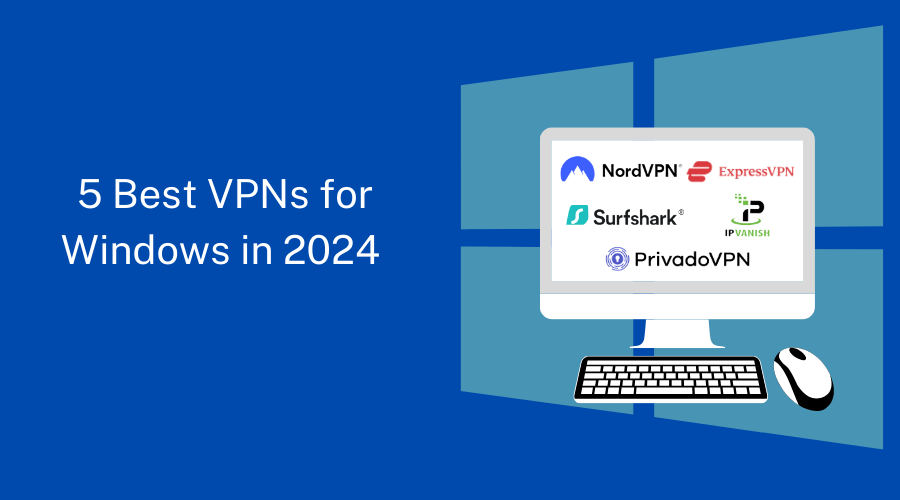
Short on Time? Here Are the 5 Best VPNs for Windows in 2024

1. NordVPN: Known for its strong security measures and extensive server network, NordVPN offers excellent protection and reliable access to geo-restricted content.

2. Surfshark: With unlimited simultaneous connections and advanced security features, Surfshark is a budget-friendly VPN option that does not compromise performance.

3. PrivadoVPN:  PrivadoVPN offers a fast, secure, and ad-free browsing experience. With just one click, you can safely and anonymously explore the internet.

4. ExpressVPN: Combining lightning-fast speeds, comprehensive server coverage, and user-friendly applications, ExpressVPN is a top choice for Windows users.

5. IPVanish: Offering excellent performance and focusing on Windows users’ needs, IPVanish is a reliable VPN that delivers security and ease of use.

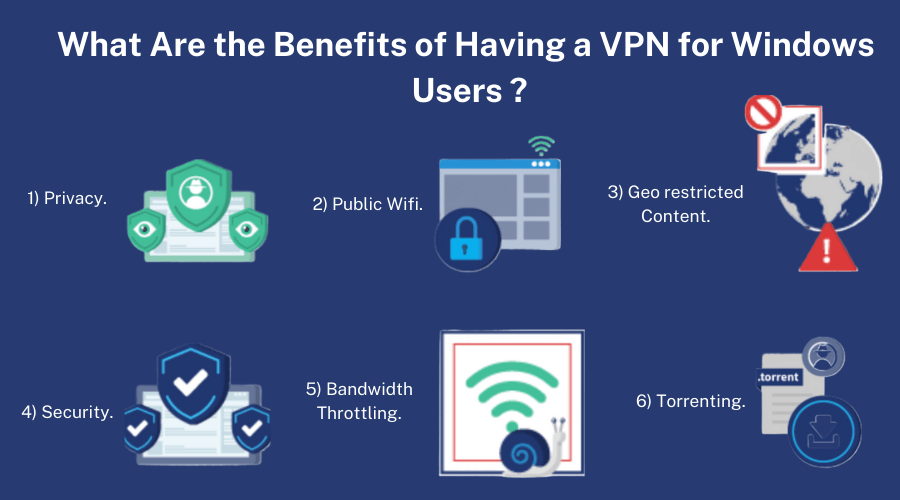
What Are the Benefits of Having a VPN for Windows Users?

Benefits of Having a VPN for Windows Users.

Protecting your online activities is of the utmost importance in the current digital evolution, mainly when using a Windows PC or laptop. Let us look at why you need a VPN for Windows and how it can benefit you:

  • Protect Your Privacy: VPNs provide a secure, encrypted tunnel between your device and the internet, protecting your online activities from hackers, internet service providers, and government surveillance, Protect you from cyberattacks and data breaches.
  • Secure Public Wi-Fi Connections: Public Wi-Fi networks can be vulnerable to hackers, so it is essential to use a VPN on your Windows device to protect sensitive data such as passwords, banking information, and personal information.
  • Access Geo-Restricted Content: VPNs allow users to bypass geographic restrictions and access content that may be blocked or unavailable in their region, such as streaming shows, accessing international websites, and enjoying unrestricted internet browsing.
  • Enhanced Online Security: A VPN adds an extra layer of security to Windows devices by masking their IP address and preventing malicious entities from tracking their online activities. It also protects against DNS leaks and malware, and phishing attacks.
  • Prevent Bandwidth Throttling: VPNs can prevent ISPs from throttling your bandwidth, ensuring smooth and uninterrupted browsing, streaming, and downloading. ISPs often engage in bandwidth throttling, which can slow down connection speed.
  • Safely Torrent and Share Files: VPNs are essential for Windows users who engage in Torrenting or file sharing, as they keep their IP address hidden and protect them from legal complications from copyright infringement. 

How to choose the best VPN for Windows?

How to Choose the Best VPN for Windows: 8 Points Discussed

To help you make an informed decision, here are some key factors to consider when selecting a VPN for your Windows PC:

  • Speed and Performance: Look for VPNs that provide fast and stable connections, ensuring smooth browsing and streaming experiences. It should have excellent tunneling protocols, a good server network, and a well-managed system.
  • Security Features: Prioritize VPNs that offer robust military-grade 256-bit encryption, kill switch functionality, and protection against DNS leaks to safeguard your data.
  • Server Network: Consider VPNs with a wide range of server locations to access content from different regions, overcome geo-restrictions, and reduce server congestion
  • Distinctive useful features. The suite of features will help you remain untraceable while helping you avoid geo-restrictions and protect you from online threats. Look for VPNs with ad blockers to prevent irrelevant advertisements, various types of servers, like obfuscated ones, and even more features.
  • Compatibility: Ensure the VPN supports Windows and offers user-friendly setup instructions. Verify a VPN application’s compatibility with Windows versions 7 through 11.
  • User Interface: Look for VPNs with intuitive interfaces that make it easy to navigate and configure the VPN settings on your Windows PC.
  • 24/7 Customer Support: Choose a VPN provider that offers responsive customer support, preferably with 24/7 availability, to address any queries or issues you may encounter.
  • Pricing: Evaluate the pricing plans of different VPNs, considering the features and value for money they offer. To make an informed decision, read our  Buying Guide before choosing a VPN.

The Top 5 VPNs for Windows – Our Detailed List

5 Best VPNs for Windows in 2024.

1. NordVPN:

NordVPN is a trusted and widely recognized VPN provider known for its strong focus on security and privacy.

With a user-friendly interface and an extensive network of servers 6000+ servers in countries based in Panama so it is an excellent choice for Windows users in 2024.

Check out our NordVPN review to learn more about the best VPN available.


NordVPN is offering 75% off for enhanced digital privacy.

Key Features:

  • Advanced Encryption: NordVPN employs AES-256 and ChaCha20 encryption technology, ensuring your data remains secure and private.
  • CyberSec Technology: This feature blocks malicious websites and ads, providing an extra layer of protection.
  • Double VPN: NordVPN allows you to route your connection through two VPN servers for added security.
  • Independently audited no-logs policy: NordVPN maintains a strict no-logs policy, ensuring that your online activities remain anonymous.
  • Dedicated IP: For users who require a dedicated IP address, NordVPN offers this as an add-on feature.
  • Unblocks:  Netflix, Hulu, HBO, and Amazon Prime Video.
  • Windows Compatibility: Windows 7,8.1,10, and 11

Positives to buy:

  • Robust security measures and encryption protocols
  • Vast server network for seamless content access
  • Supports up to 6 simultaneous connections
  • User-friendly applications for Windows and other platforms
  • Excellent customer support is available 24/7

Negatives to Avoid:

  • The Windows app can be slow to connect at times
  • Some advanced features are limited to specific servers
  • No split tunneling

Plans and pricing:


NordVPN Basic Plus Ultimate
2-Year plan $ 3.99 /month $ 4.99 /month $ 6.99 /month
1- Year plan $ 4.99 /month $ 5.99 /month $ 7.99 /month
Monthly Plan $ 12.99 /month $ 13.99 /month $ 15.99 /month

2. Surfshark VPN:

Surfshark is a relatively new player in the VPN market, but it has quickly gained popularity for its affordable pricing and intense focus on user experience.

It is based in the Netherlands, distributed across 3200+ servers, and offers many features that will make it an appealing option for Windows users in 2024.


Woman enjoying online security with VPN connection.

Key Features:

  • Unlimited Devices: Surfshark allows unlimited simultaneous connections, enabling you to protect all your devices with a single subscription.
  • CleanWeb: This feature blocks ads, trackers, and malware, enhancing your browsing experience.
  • MultiHop: MultiHop is a feature that allows you to connect through multiple VPN servers for enhanced privacy.
  • Camouflage Mode: This feature masks your VPN usage, making it harder for ISPs and other entities to detect.
  • NoBorders Mode: Surfshark helps you easily bypass censorship and access geo-restricted content.
  • Unblocks:  Netflix, Hulu, Disney+, YouTube, HBO Max, Apple TV, and other streaming platforms
  • Windows Compatibility: Windows 7, 8.1,10, and 11

Positives to buy:

  • Affordable pricing with feature-rich plans
  • Surfshark is one of only a few VPNs that use RAM-only servers
  • Strong focus on user experience and ease of use
  • Strict no-logs policy
  • Robust security and privacy features
  • 24/7 customer support

Negatives to Avoid:

  • It doesn’t have streaming-optimized servers
  • Some advanced features are only available on specific platforms
  • It takes time to reconnect after a network change

Plans and pricing:

Surfshark Starter One One+
24-months plan $ 2.19/mo $ 2.69/mo $ 4.29/mo
12-month plan $ 2.79/mo $ 3.19/mo $ 5.09/mo
1 Month Plan $ 15.45/mo $ 15.95/mo $ 17.95/mo

3. PrivadoVPN:

PrivadoVPN is a newcomer yet highly rated, no-log VPN service that’s lightweight and robust. It offers fantastic speeds due to WireGuard and includes a decent free plan without speed limits.


PrivadoVPN is the best VPN for gaming with fast connections.

Key Features:


  • High-Grade Encryption: PIA utilizes AES-256 encryption to protect your data from prying eyes.
  • Kill Switch: Kill Switch prevents possible data leaks; this feature ensures that your internet connection is automatically terminated if the VPN connection drops.
  • Split Tunneling: PIA allows you to choose which apps or websites go through the VPN, giving you more control over your browsing experience.
  • SOCKS5 Proxy: This feature adds an extra layer of privacy and allows for faster download speeds when using torrent clients or other P2P applications.
  • Unblocks:  Netflix, Disney+, HBO Max, Hulu, BBC iPlayer, Amazon Prime Video, SkyTV, ESPN+, and more
  • Windows Compatibility: Full support for Windows 10 and 11, partial support for Windows XP,  7, and 8.

Positives to buy:

  • Strong commitment to privacy and no-logs policy
  • Affordable pricing with feature-rich plans
  • Allows up to 10 simultaneous connections
  • User-friendly apps for Windows and other platforms
  • Excellent streaming performance
  • IP Leak Protection

Negatives to Avoid:

  • Customer support response time can vary
  • No audits or transparency reports
  • It doesn’t work in China

Plans and pricing:

  • 24 Months Unlimited VPN + 3 Free : $1.99/month
  • 24 Months Unlimited VPN + 3 Free : $2.99/month
  • Monthly Plan : $10.99/month

4. ExpressVPN:

ExpressVPN is a highly regarded VPN provider based in the British Virgin Islands known for its lightning-fast speeds and extensive server coverage of 3,000+ servers in 94 countries. 

With its user-friendly applications and a strong emphasis on security, it remains a top choice for Windows users in 2024.

Key Features:


  • Trusted Server Technology: ExpressVPN uses RAM-only servers, ensuring no data is ever written to the hard drive, enhancing security and privacy.
  • Network Lock Kill Switch: This feature blocks all internet traffic if the VPN connection is interrupted, preventing potential data leaks.
  • Split Tunneling: ExpressVPN lets you choose which apps or websites go through the VPN while the rest use your regular internet connection.
  • MediaStreamer: This feature enables you to access geo-restricted content on devices that do not support VPN connections, such as smart TVs and gaming consoles.
  • Browser Extensions: ExpressVPN offers browser extensions for Chrome, Firefox, and Edge, providing VPN protection directly within your browser.
  • Unblocks:  Netflix, Disney+, HBO Max, Hulu, BBC iPlayer, Amazon Prime Video, SkyTV, ESPN+, and more.
  • Windows Compatibility: Full support for Windows 10 and 11, partial support for Windows XP, Vista, 7, and 8.

Positives to buy:

  • Blazing-fast speeds for seamless streaming and browsing
  • User-friendly applications for Windows and other platforms
  • Independently audited
  • Great for streaming and Torrenting
  • Strong security measures and encryption protocols
  • 24/7 customer support via live chat

Negatives to Avoid:

  • Slightly higher pricing compared to some other providers
  • Limited to 5 simultaneous connections per subscription
  • No multi-hop option

Plans and pricing:

  • 12 months: $ 6.67/month
  • 6 months: $9.99/month
  • 1 month: $12.95/month

5. IPVanish VPN

IPVanish is a reliable VPN provider with top-notch performance and a strong focus on meeting the needs of Windows users. 

It is distributed across a wide range of servers, 2400+ servers in 90 countries, based in the United States. 

Its user-friendly interface and robust security features will continue to be a solid choice for Windows users in 2024.

Key Features:

  • SugarSync Integration: IPVanish includes free access to SugarSync, a secure 250GB cloud storage and file synchronization service.
  • High-Grade Encryption: IPVanish employs the industry-standard AES-356 encryption for protecting your traffic.
  • SOCKS5 Proxy: This feature adds an extra layer of privacy and allows for faster download speeds when using torrent clients or other P2P applications.
  • Unlimited Bandwidth: IPVanish does not limit bandwidth usage, ensuring a smooth browsing and streaming experience.
  • 24/7 Customer Support: IPVanish provides round-the-clock customer support to assist with any issues or queries you may have.
  • Unblocks:  Netflix US, Disney+, HBO Max, Hulu, YouTube, Amazon Prime Video, and more.
  • Windows Compatibility: Full support for Windows 8.1, 10, and 11, and partial support for Windows XP, Vista, and 7.

Positives to buy:

  • Excellent performance and fast connection speeds
  • Split tunneling
  • Customizable kill switch
  • DNS leak protection
  • Unlimited bandwidth for a seamless browsing and streaming experience
  • 30-day money-back guarantee

Negatives to Avoid:

  • Server network coverage is not as extensive as some other providers
  • No free trial is available

Plans and pricing:

  • 2 Years: $ 2.19/month
  • Yearly: $2.79/month
  • Monthly: $12.99/month

The Methodology We Used to Test VPNs for Windows

We used a rigorous approach to evaluate VPNs for Windows to give you accurate and trustworthy recommendations. During our testing, we included various factors such as:

The Methodology We Used to Test VPNs for Windows: 7 Factors Explained.

  • Logging Policy: We carefully examined each VPN provider’s logging policy to ensure your online activities remain private and anonymous. VPNs with strict no-logs guidelines were given higher preference, as they do not store any user data that third parties could potentially access.
  • Security: Security is paramount when choosing a VPN, especially for Windows users. We scrutinized the encryption protocols used by each provider to ensure robust protection of your data. VPNs utilizing AES-256 encryption, the industry standard, are considered more secure.
  • Compatibility: Windows users need a VPN that seamlessly integrates with their operating system. We assessed the compatibility of each VPN provider, looking for user-friendly applications and easy setup processes specifically designed for Windows.
  • Speed and Performance: We tested the speed of each VPN provider’s connections to assess how it affected internet speed and how well they maintained fast and steady connections. Tunneling protocols such as NordLynx or WireGuard can improve user experience.
  • Streaming Capabilities: Streaming enthusiasts rely on VPNs to bypass geo-restrictions and access their favorite content. We tested each VPN’s ability to unblock popular streaming platforms like Netflix, Hulu, and BBC iPlayer, providing an optimal streaming experience.
  • Value for Money: We analyzed the pricing plans and features each VPN provider offers to assess their value for money. We considered factors such as the number of simultaneous connections, additional features, and subscription durations to help you make a cost-effective choice.
  • Customer Support: Quality customer support is vital in promptly resolving any issues or queries. We evaluated the responsiveness and effectiveness of each VPN provider’s customer support team through various channels, such as live chat and email.

How to Set Up a VPN on Your PC?

Setting up a VPN on a Windows PC is a straightforward process that can provide enhanced security, privacy, and freedom while browsing the internet. This guide will walk you through the steps to set up a VPN on your Windows 7, 8.1, or 10 PC.

How to Set Up a VPN on Your PC.

For Windows 7:

  1. Pick a reputable VPN service provider with a Windows app.
  2. Create an account on the website of the VPN service provider and download the VPN client for Windows 7.
  3. To begin the installation process, find the downloaded installer file and double-click on it.
  4. To finish the installation, follow the installer’s on-screen instructions.
  5. Launch the VPN app. You will be prompted to enter your login credentials (username and password) that you created during the sign-up process.
  6. When you log in, you typically see a list of accessible server locations. Depending on your needs, choose a server location.
  7. Click the “Connect” button to establish a safe VPN connection to the chosen server.
  8. Once you log in, A confirmation message will show you are connected to the VPN server. Now you are ready to go.

For Windows 8.1 and 10:

  1. Click “Settings” from the context menu of the “Start” button.
  2. Select “Network & Internet” then “VPN” in the just-opened window.
  3. To create a new VPN connection, click “+.”
  4. Choose “Windows (built-in)” from the drop-down option on the new screen.
  5. Give this connection a name and enter the server IP.
  6. Select a protocol that is supported by your VPN service.
  7. Select the authentication method, probably a username and password, from the type of sign-in menu.
  8. Hit “Save”

Final Thoughts on the Best VPN for Windows in 2024

This comprehensive guide has covered various aspects of choosing the best VPN for Windows in 2024. It began with a brief introduction highlighting the importance of security and privacy in today’s digital era and provided a quick list of the best VPNs for Windows in 2024.

We explored the benefits of a VPN for Windows users, emphasizing the protection it offers for online activities. The article also included a detailed comparison of the top 5 Windows VPNs: NordVPN, Surfshark, PrivadoVPN, ExpressVPN, and IPVanish.

The evaluations followed a methodology focused on essential aspects such as logging policy, security, compatibility, speed, performance, streaming capabilities, value for money, and customer support.

Finally, NordVPN emerged as the winner based on our evaluations. Its combination of advanced security features, fast speeds, extensive compatibility, and reliable customer support sets it apart.

FAQs: Best VPN for Windows in 2024

Is a free VPN for Windows safe?

There are some reputable free VPNs accessible, but practicing caution is significant.

Free VPNs have restrictions and may compromise your privacy and security online.

Paid VPNs are safer because they have more advanced features and stronger security measures.

Does Windows 10 have a built-in VPN?

Windows 10 features a built-in VPN client, but Windows 10 does not offer a VPN service. Many users use dedicated VPN apps that are more user-friendly and provide a wide range of essential features.

Only Windows-based devices may use the built-in VPN client, which does not support advanced protocols like OpenVPN or WireGuard.

What makes the Best VPN for PC?

When selecting a VPN for your PC, it is crucial to prioritize privacy and security. 

Look for VPN providers with verified no-logging policies and top encryption standards, such as AES-256, to ensure your online activities are not recorded or monitored. 

Consider additional features such as split tunneling, a kill switch, and streaming capabilities.

An ideal VPN for PC should have a user-friendly interface and straightforward setup process, allowing you to quickly open the VPN app and connect to a server with just a few clicks. 

Considering these factors, you can find a VPN that offers a comprehensive and enjoyable browsing experience while keeping your online activities secure and private.

What is the most secure VPN for Windows?

There are several VPNs that provide Windows users with excellent levels of protection, and NordVPN is considered one of the safest options. Check out our NordVPN review to learn more about one of the best VPNs available.

 It has a strict no-logs policy, uses top-notch encryption protocols, and provides additional security features like a kill switch and double VPN.

Should I use a VPN on my home computer?

Yes. A VPN on your PC is still a good idea, even if your home computer does not use public Wi-Fi. A VPN on your home PC can provide additional safety and security.

It scrambles your web traffic, safeguards your delicate information, and enables anonymous web browsing. Moreover, it can help sidestep geo-limitations and access area-locked content.

What is the best free VPN for Windows PC?

For Windows PCs, Atlas VPN and ProtonVPN are two free VPN providers. ProtonVPN offers more advanced security features and a comprehensive range of server locations, while Atlas VPN provides essential privacy and security.

We recommend NordVPN to users who need more advanced security features and a comprehensive range of server locations. NordVPN gives users a free 7-day trial or a 30-day money-back guarantee so they can try out its premium features.


NordVPN offering 76% off and TWINT voucher in Switzerland.