Best VPNs for Crypto Trading in 2024: Secure Your Digital Trades
Table of Contents
Cryptocurrency trading requires privacy and security. That’s why using the best VPN for crypto trading becomes essential. A VPN helps protect your online transactions and eliminates the possibility of sharing your real location.
There are many VPNs to choose from, and picking the right one can make a big difference in your effort to trade cryptocurrency easily and safely.
In this guide, we’ll explore why you need a VPN for crypto trading, what to look for in a VPN service, and review the top 5 VPNs best suited for this purpose.
If you care about privacy, looking for the fastest servers, or want to buy a VPN with cryptocurrency, this article will cover everything you need to know.
Why Do You Need a VPN for Crypto Trading?
When you’re engaging in trading cryptocurrencies, using a Virtual Private Network adds an extra layer of security and privacy to your online activities. Here are some primary reasons why a VPN is essential for crypto traders;
1) Protects Your Privacy: A VPN hides your IP address, making it difficult for hackers or anyone else to track your online activities. This is particularly important for crypto traders who want to keep their transactions private and avoid being targeted by cybercriminals.
2) Secures Your Connection: VPNs encrypt your internet traffic, which helps protect sensitive data, such as your login credentials and transaction details, from being intercepted. This is vital for ensuring your trade and personal information remain secure, especially when using public Wi-Fi or untrusted networks.
3) Bypasses Geo-Restrictions: Many crypto exchanges have restrictions based on your location. A VPN allows you to connect to servers in different countries, giving you access to platforms that might be blocked in your region. This flexibility can help you trade freely, regardless of where you are.
4) Reduces Risks of Cyber Attacks: A VPN makes your online activities difficult to monitor, reducing the risk of phishing, hacking, and various cyber-attacks that could lead to the loss of your cryptocurrency.
5) Enhances Anonymity: Some traders prefer hiding their identity for security reasons. A VPN makes it much more difficult for others to identify who you are, adding an extra layer of anonymity when conducting transactions.
Quick Overview of the Best VPNs for Crypto Trading
Selecting the right VPN can greatly impact your crypto trading experience. Here’s a quick overview of some of the best VPNs that are known for their reliability, speed, and strong security features:
| VPN Service | Highlight for Crypto Trading | |
|---|---|---|
| 1 | NordVPN | The Best VPN for Crypto Trading with Advanced Security Features |
| 2 | Surfshark VPN | The Best Value VPN for Beginners in Crypto Trading |
| 3 | ExpressVPN | The Fastest VPN for Seamless Crypto Trading |
| 4 | Private Internet Access VPN | The Customizable VPN for Secure Crypto Transactions |
| 5 | CyberGhost VPN | The Best VPN with Diversified Server Locations |
Important Features to Consider When Choosing a VPN for Crypto Trading
Choosing the best VPN for crypto trading requires considering several key features that can significantly impact your security, privacy, and trading efficiency. Here are the most important features to look for:
1) Strong Security and Encryption: Only trust VPNs that provide satisfactory encryption standards, such as AES-256, so hackers won’t intercept your data. Moreover, other advanced security features, such as kill switches, DNS leak protection, and multi-hop connections (routed via multiple servers), help protect your trades against malicious attacks.
2) No-Logs Policy: Choose a VPN with a strict no-logs policy, meaning the service does not store your online activities. This ensures that even if the VPN provider is asked to provide data, there is nothing to hand over, protecting your privacy and anonymity while trading.
3) High-Speed Connections: When it comes to crypto trading, you need a Fast and steady internet connection so there aren’t any lags while transacting or getting price updates. Choose a VPN with servers in many countries to ensure you can always connect without much latency or interruption.
4) Server Locations: A good VPN must have a wide range of server locations, especially in countries where major crypto exchanges operate. This can be useful for bypassing geo-restrictions and accessing platforms that could be blocked in your area.
5) Compatibility with Devices: Ensure the VPN is compatible with all the devices you use for trading, such as desktops, smartphones, and tablets. Many VPNs offer apps for multiple operating systems (Windows, MacOS, iOS, Android) and support simultaneous connections on multiple devices.
6) Cryptocurrency Payment Options: Opt for a VPN that allows you to pay with cryptocurrency. This adds an extra layer of privacy by keeping your payment details anonymous, which is particularly valuable for crypto traders.
7) User-Friendly Interface: A VPN with a simple and intuitive interface makes it easier to use, especially if you’re not very tech-savvy. Look for VPNs that offer easy setup processes, clear instructions, and quick customer support if you encounter any issues.
8) Kill Switch Feature: This feature automatically disconnects your internet connection if the VPN connection drops, preventing data leaks or exposure of your real IP address. This feature is critical for maintaining privacy and security during crypto transactions.
9) Customer Support: Reliable customer support is vital, especially if you encounter problems or need help configuring your VPN for crypto trading. Find VPNs that offer 24/7 customer service through various channels like live chat, email, or phone.
Considering these features, you can choose a VPN that best suits your crypto trading needs, ensuring your transactions are secure, private, and efficient.
Best VPNs for Crypto Trading: In-Depth Analysis
NordVPN is known for its excellent security features, including double encryption and a strict no-logs policy. It has a large network of servers worldwide, which helps ensure fast and stable connections for trading.
NordVPN also accepts cryptocurrency payments, adding an extra layer of privacy for crypto users. For a detailed analysis, check out our NordVPN review.
Key Features:
- Thousands of servers spread across 111 nations
- Accepts Bitcoin and other cryptocurrencies for added anonymity.
- NordVPN offers OpenVPN, IKEv2/IPsec, and NordLynx protocols.
- AES-256 encryption
- Threat Protection
- Double VPN
- Kill Switch Feature
- Unblocks Netflix, HBO, Hulu, BBC iPlayer, Spotify, CBS, NBC Live, etc.
- It is compatible with Windows, Mac, Apple TV, iOS, Linux, Router, Android, Android TV, Roku, PlayStation, etc.
Positives to buy:
- Advanced security features
- High-speed performance
- Speedy servers
- Easy to set up and use
- Four-times audited no-logs service
- 24/7 customer support.
Negatives to Avoid:
- Slightly more expensive compared to other options
- Occasional Connection Delays
Plans and pricing:
|
Plans |
Get Ultimate |
Get plus |
Get Basic |
|
2-Year plan |
$ 6.99 /month |
$ 4.99 /month |
$ 3.99 /month |
|
1- Year plan |
$ 7.99 /month |
$ 5.99 /month |
$ 4.99 /month |
|
Monthly Plan |
$ 15.99 /month |
$ 13.99 /month |
$ 12.99 /month |
A budget-friendly option with unlimited simultaneous connections, making it ideal for traders who use multiple devices. Surfshark offers a strict no-logs policy, military-grade encryption, and servers in various locations to bypass geo-restrictions.
Key Features:
- Thousands of servers spread across 100 nations
- Blocks ads, trackers, and malware
- Kill switch feature
- Smart DNS
- No-Logs Policy
- Unblocks Netflix, Hulu, Hotstar, BBC iPlayer, BT-Sports, etc.
- It is Compatible with Windows, Mac, Apple TV, Android, Linux, iOS, Chromebook, Android TV, Amazon Firestick, etc.
Positives to buy:
- Supports unlimited simultaneous connections
- Budget-Friendly and Affordable pricing
- Including a 30-days guarantee
- Simple app design to use and install
Negatives to Avoid:
- Limited Advanced Features
- May slow down your internet speed
Plans and pricing:
|
Plans |
Surfshark Starter |
Surfshark One |
Surfshark One+ |
|
24 – Months +3 EXTRA Months |
$ 2.19 /month |
$ 2.69 /month |
$ 4.29 /month |
|
12 – Months +3 EXTRA Months |
$ 2.79 /month |
$ 3.19 /month |
$ 5.09 /month |
|
1 Month |
$ 15.45 /month |
$ 15.95 /month |
$ 17.95 /month |
3.ExpressVPN
ExpressVPN stands out for its high-speed servers and robust security, making it a top pick for crypto traders who require fast, secure, and stable connections. Its extensive server network helps traders access geo-restricted exchanges and conduct transactions seamlessly.

Key Features:
- Thousands of servers spread across 105 nations
- AES-256 encryption
- Accepts Bitcoin for anonymous payments
- Independently audited no-logs policy
- Trusted Server Technology
- Kill switch feature
- RAM-only servers
- Unblocks Netflix, Hulu, Amazon Prime Video, Disney+, BBC iPlayer, etc.
- It is Compatible with Windows, Mac, Apple TV, iOS, Android, Linux, Android TV, Amazon Firestick, Chromebook, Xbox, PlayStation, etc.
Positives to buy:
- Super-fast servers
- Advanced security and privacy
- Excellent Speed (Ideal for Crypto traders)
- Simple and intuitive interface
- 24/7 live chat agents to get help when you need it
Negatives to Avoid:
- Relatively few simultaneous connections
- Fewer Customization settings
- One of the more expensive VPNs in the market
Plans and pricing:
|
Plans |
Pricing |
|
12 Months + 3 Months Free |
$ 6.67 /month |
|
6 Months |
$ 9.99 /month |
|
1 Month |
$ 12.95 /month |
4.Private access internet
Private Internet Access is known for its customizable security settings, which can be particularly appealing to advanced crypto traders who want to fine-tune their VPN settings. Its large server network provides plenty of options for accessing global crypto markets.
Key Features:
- Thousands of servers spread across 91 nations
- AES-256 encryption
- Pay with Bitcoin and other cryptocurrencies.
- Independently audited no-logs policy
- MultiHop Feature
- Kill switch feature
- Split Tunneling
- Unblocks Netflix, Hulu, Amazon Prime Video, Disney+, BBC iPlayer, etc.
- It is Compatible with Windows, Mac, Apple TV, iOS, Android, Linux, Android TV, Amazon Firestick, Chromebook, Xbox, PlayStation, etc.
Positives to buy:
- Affordable and very cost-effective VPN
- Advanced security and privacy
- Excellent Speed (Ideal for Crypto traders)
- No-logs policy
- 24/7 live chat agents to get help when you need it
Negatives to Avoid:
- Inconsistent Speeds
- US based, so subject to Five Eyes
Plans and pricing:
|
Plans |
Pricing |
|
3 Years + 3 Months Free |
$ 2.03 /month |
|
1 Year |
$ 3.33 /month |
|
1 Month |
$ 11.95 /month |
5.CyberGhost VPN
CyberGhost is a user-friendly VPN with dedicated servers for privacy-focused activities, making it a great option for those new to crypto trading. Its extensive server network and easy setup make it accessible for traders who need a straightforward, reliable VPN solution.
Key Features:
- Thousands of servers spread across 100 nations
- Offers payment options in Bitcoin and other cryptocurrencies.
- Split Tunneling
- Independently audited no-logs policy
- Kill switch feature
- Unblocks: Netflix, Disney+, HBO Max, Hulu, BBC iPlayer, Amazon Prime Video, etc
- Compatible with iOS (13.0 or later), Mac, Apple TV, Apple Watch, Windows, Android, Linux, routers, etc.
Positives to buy:
- Special servers tailored for different activities, including crypto trading
- User-friendly and easy to navigate
- 45-day refund policy
- Affordable Pricing
- Non-member of Five Eyes
Negatives to Avoid:
- Slower Long-Distance Speeds
- Limited Advanced Features:
- No MultiHop Servers
Plans and pricing:
|
Plans |
Pricing |
|
2 Years + 2 Months |
$ 2.19 /mo. |
|
6 Months |
$ 6.99 /mo. |
|
1 Month |
$ 12.99 /mo. |
Comparing the Best VPNs for Crypto Trading
Let’s compare the 5 Best VPNs for crypto trading based on their key features, such as security Features, server locations, and crypto payment acceptance.
| VPN Provider | Security Features | Server Locations | Crypto Payments Accepted |
|---|---|---|---|
| NordVPN | AES-256 encryption, Double VPN, Kill Switch, No-logs policy | 6000+ servers in 111 countries | Yes |
| Surfshark VPN | AES-256 encryption, MultiHop, Kill Switch, No-logs policy | 3200+ servers in 100 countries | Yes |
| ExpressVPN | AES-256 encryption, Trusted Server technology, No-logs policy | Thousands of servers in 100+ countries | Yes |
| Private Internet Access (PIA) | AES-256 encryption, Kill Switch, Customizable encryption settings | Thousands of servers in 90+ countries | Yes |
| CyberGhost VPN | AES-256 encryption, No-logs policy, Kill Switch, Dedicated servers for streaming | Thousands of servers in 100+ countries | Yes |
How we Tested and Ranked the Best VPNs for Crypto Trading
To help you choose the best VPN for crypto trading, we carefully tested and ranked each VPN based on several important criteria. Here’s an overview of our testing process and the key factors we considered:
1) Security and Privacy: We analyzed each VPN’s security features, such as encryption standards (AES-256), kill switches, no-logs policies, and additional privacy features like multi-hop connections and DNS leak protection.
VPNs with the strongest security protocols and clear privacy policies ranked higher, providing the safest environment for crypto trading.
2) Speed and Performance: In the fast-paced world of crypto trading, speed is not just a factor; it’s a necessity. A slight delay could mean missing out on an opportunity or making little to no profit.
We rigorously tested the speed of each VPN using a variety of servers. The higher a VPN scored on these tests, the better it ranked on our list, ensuring you never miss a trading opportunity due to a slow connection.
3) Server Network and Locations: We evaluated the quantity and distribution of server locations for each VPN. More server locations will allow you to unblock content for geo-target global areas like crypto exchanges. VPNs that work with more servers in different parts of the world earned a higher ranking here.
4) User Experience and Compatibility: We assessed how user-friendly each VPN is, with installation, user interface layout, and overall performance across various devices.
We also checked compatibility with different devices and operating systems (Windows, macOS, iOS, Android). VPNs that were easy to use and compatible with multiple devices ranked higher, ensuring a comfortable and seamless trading experience.
5) Customer Support: We tested the quality of customer support by contacting each VPN’s service team via live chat, email, and phone. VPNs with responsive and helpful customer service, available 24/7, ranked better.
6) Payment Options and Privacy: For crypto traders who value privacy, being able to pay anonymously is important. We checked which VPNs accept cryptocurrency payments and ranked those higher, as they offer users an added layer of privacy.
7) Reputation and Reviews: We considered the reputation of each VPN in the market by analyzing user reviews, expert opinions, and the VPN provider’s track record. VPNs with strong, positive reputations and consistent performance were given higher rankings.
8) Price and Value for Money: Lastly, we compared pricing plans to see which VPNs offer the best value for money. We considered the balance between cost and the features provided, ranking those that offer comprehensive services at a reasonable price higher.
By thoroughly testing and ranking each VPN against these factors, we’ve identified the most reliable options to ensure safe and efficient crypto trading. This way, you can confidently choose a VPN that meets your specific trading needs.
Basic Legal Considerations and Risks in Crypto Trading

Earlier, we discussed the importance of using a VPN for crypto trading. While it offers many benefits, there are also some legal considerations and risks to be aware of. In some countries, using a VPN to access restricted crypto exchanges or to trade cryptocurrencies can violate local laws.
It’s essential to understand the regulations in your region and ensure that you are not breaking any rules when trading. Additionally, some exchanges have policies against VPN use, and using one could lead to account suspension or termination. Always READ the Terms of Service for any platform you use.
For a more detailed look into the legal aspects and potential risks of using a VPN for crypto trading, read our article “Is Using a VPN to Trade Crypto Illegal?”
How to Use a VPN for Buying or Trading Crypto?
Using a VPN for buying or trading crypto is straightforward but requires some essential steps to ensure maximum security and privacy:
- Choose a Reliable VPN: Select a VPN that offers strong security features, a no-logs policy, and a wide range of server locations.
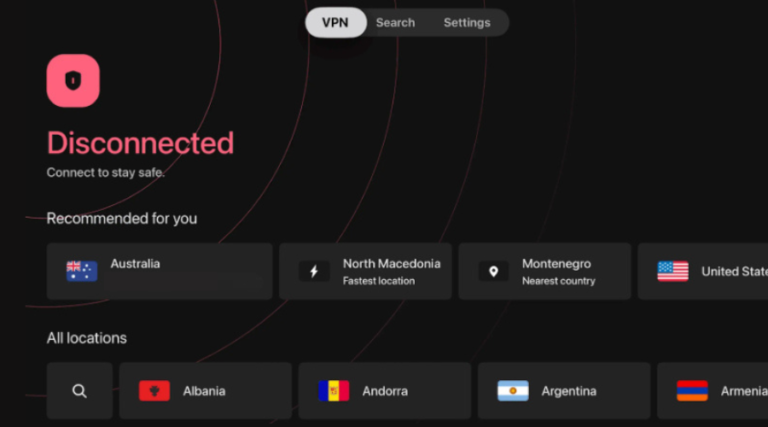
- Install and Set Up the VPN: Download the VPN app on your preferred device and follow the installation instructions.
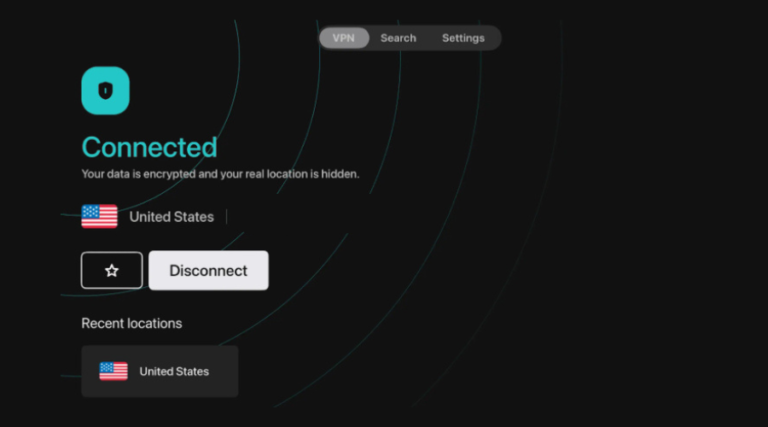
- Connect to a Secure Server: Choose a server in a location that allows access to your desired crypto exchange. This will help you bypass geo-restrictions and trade securely.
- Access the Crypto Exchange: Once connected, visit your preferred crypto exchange and start trading as usual.
Can I Use a Free VPN for Crypto Trading?
Everyone is attracted to the word “free.” Using a free VPN might seem lucrative, but it is important to consider the potential downsides. Free VPNs often have limitations, such as slower speeds, fewer server options, and weaker security protocols.
Moreover, many free VPNs have questionable privacy practices, including logging and selling your data to third parties, which could compromise your security. For those serious about crypto trading, investing in a reputable, paid VPN is safer and more reliable.
For a deeper analysis of the pros and cons of using free VPNs, check out our upcoming article on Best Free VPNs for Crypto Trading.
How to Buy a VPN with Cryptocurrency?
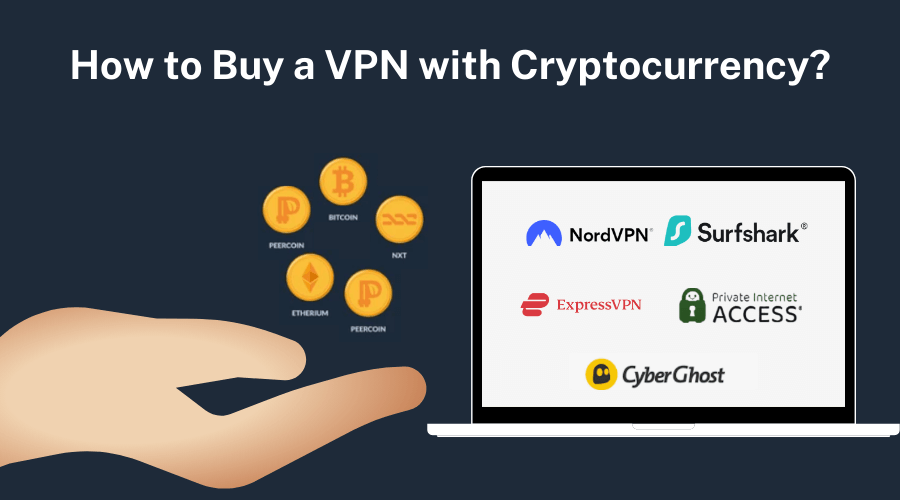
Purchasing a VPN with cryptocurrency offers an additional layer of privacy and anonymity, which is highly valuable for crypto traders. Here’s why and how you can buy a VPN with crypto:
- Select a VPN Provider: Choose a VPN that accepts cryptocurrency payments. Top VPNs like NordVPN, ExpressVPN, and Surfshark allow you to pay with Bitcoin, Ethereum, and other cryptocurrencies.
- Choose Your Crypto: Decide which cryptocurrency you want to use for payment. Many VPNs accept various coins, including Bitcoin (BTC), Ethereum (ETH), Litecoin (LTC), and others.
- Proceed with Payment: On the VPN provider’s website, select the subscription plan you want, and choose cryptocurrency as your payment method. Follow the instructions to complete the transaction using your crypto wallet.
Final Thoughts : Best VPNs for Crypto Trading
As a result, an increasing number of scams and cyber threats make crypto trading more popular but also riskier. Using a reliable VPN is a proactive step to protect your transactions, hiding your IP address, encrypting your internet traffic, and ensuring you are on
By choosing a VPN like NordVPN that offers advanced security features, fast connections, and support for anonymous payments, you can ensure a safer and more secure trading experience. Protect yourself in a competitive market where more than 100 million cryptocurrency transactions occur daily.
Please don’t overlook the importance of a good VPN; it’s a small investment that can protect you from significant losses in the crypto world and provide you with a sense of security.
FAQs : VPN for Crypto Trading
1. What is the best VPN for crypto exchanges?
For us, NordVPN is the best VPN for crypto exchanges. It has powerful security features, a no-logs policy, and the ability to utilize fast servers to bypass geo-restrictions. It helps ensure your privacy while trading on various exchanges worldwide.
2. What are the best VPN locations for crypto trading?
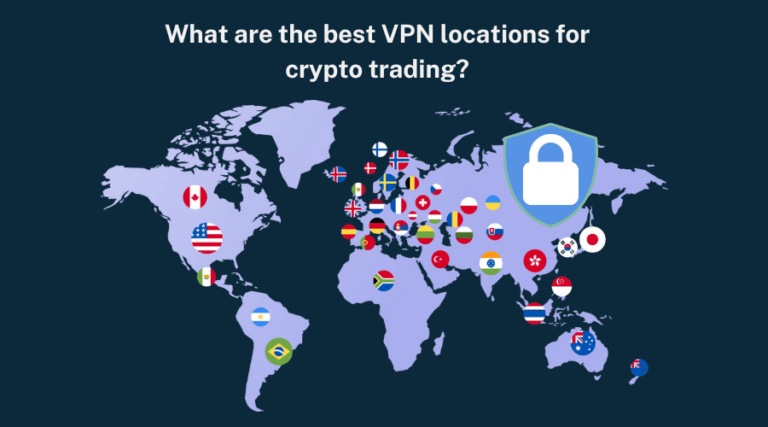
The best VPN locations for crypto trading are countries with strong data privacy laws and reliable internet infrastructure, such as Germany, Switzerland, Iceland, Portugal and the Netherlands. These locations help protect your privacy while providing stable and fast connections.
3. What is the safest VPN for crypto?
The safest VPNs for crypto trading are those with strong encryption, no-logs policies, and advanced security features. NordVPN, ExpressVPN, and Surfshark are among the safest options, offering excellent privacy protection.
4. Can using a VPN affect crypto trading speed?
Due to encryption, a VPN can slightly reduce internet speed, but high-quality VPNs like NordVPN, ExpressVPN, and Surfshark are optimized for speed, ensuring minimal impact on your trading activities.
5. What is the best VPN for Bitcoin?
NordVPN is considered the best VPN for Bitcoin trading due to its high level of security, privacy, and acceptance of Bitcoin as a payment method.
6. Does a VPN protect your crypto wallet?
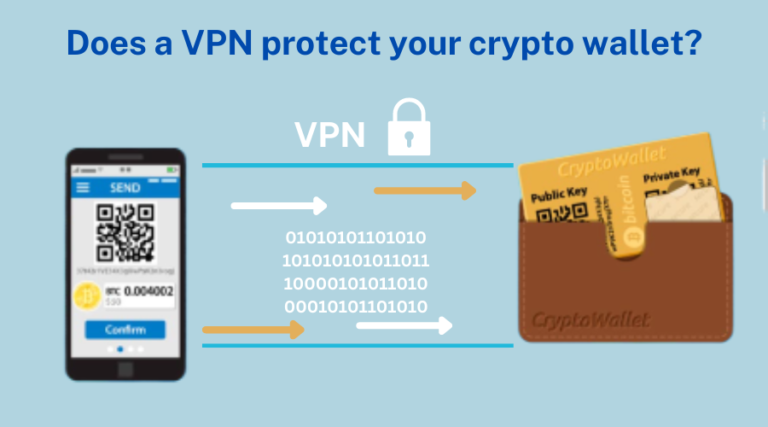
A VPN helps protect your crypto wallet by hiding your IP address and encrypting your internet traffic, making it more difficult for hackers to target your online activities. However, it should be used alongside other security measures, such as strong passwords and two-factor authentication.